Your accessibility widget is listed in the complaint. The plaintiff's attorney documented it: the overlay was present, the keyboard trap still existed, the screen reader still couldn't navigate the checkout flow. The widget didn't fix those things. It was never designed to.
Accessibility overlay plugins — the JavaScript widgets that promise to automatically remediate your website — do not make sites ADA-compliant. This is no longer industry debate. In January 2025, the Federal Trade Commission made it official government finding.
The FTC's $1 Million Consent Order on Overlay Promises
On January 3, 2025, the FTC announced that one of the largest accessibility overlay providers would pay $1 million to resolve allegations of deceptive marketing practices. The FTC's complaint alleged the vendor's widget failed to make many basic website components accessible, including navigation menus, form fields, and image descriptions, despite the company's claims to the contrary. The vendor neither admitted nor denied the allegations.
The order went further: it permanently bars the vendor from representing that its automated products "can make any website WCAG-compliant" unless it has substantive evidence to support the claim. The FTC's final consent order was approved in April 2025.
This is not a technicality or a dispute about edge cases. One of the industry's most prominent overlay providers was the subject of a federal enforcement action alleging it had systematically misled businesses about what their product could actually do.
What Overlays Promise vs. What They Deliver
Accessibility overlay vendors typically market a script that installs in under 30 seconds and promises to bring your site into WCAG 2.1 AA compliance — or to at least provide a "reasonable accommodation" that protects you legally. Some vendors charge $500–$3,000 per year for this promise.
What the script actually does is add a floating toolbar to your site that allows users to adjust font sizes, enable a high-contrast mode, or trigger a simplified interface. These adjustments happen on the client side, through CSS overrides, without modifying your site's underlying HTML structure, ARIA attributes, or keyboard navigation logic.
The violations that attract ADA lawsuits — focus traps, unlabeled form elements, inaccessible modals, missing alt text on dynamically loaded images, broken keyboard navigation — are rooted in your site's code. An overlay toolbar that floats on top of your page cannot fix code-level violations. It can add aria-label to some elements via JavaScript injection, but that injection is imperfect, inconsistent, and can itself introduce new violations by interfering with existing ARIA markup or screen reader behavior.
The Lawsuit Data Is Clear
In 2025, over 4,800 ADA accessibility lawsuits were filed according to UsableNet — a significant year-over-year increase. Within that filing data, the numbers for overlay users are damning:
According to UsableNet's 2025 Annual Report, 1,416 companies using accessibility widgets were sued for ADA violations in 2025 — up 38% from 1,023 in 2024. A separate analysis found that 38.5% of businesses sued for accessibility violations already had some form of accessibility tool in place when the complaint was submitted.
Courts and plaintiffs have been consistent: the presence of an overlay does not resolve underlying code violations, and it does not constitute a legal defense. Several complaints now explicitly cite the widget by name, arguing that it failed to address specific barriers documented during testing.
| Violation Type | Overlay Claim | Reality |
|---|
| Keyboard navigation failures | "Keyboard navigation support" | Cannot fix broken tab order in source HTML |
| Focus trap in JavaScript modal | "AI-powered remediation" | Modal is rendered at runtime; overlay has no access |
| Missing alt text (dynamic images) | "Automatic image descriptions" | AI-generated descriptions are frequently inaccurate or absent |
| Inaccessible form labels | "Automatic form labeling" | JavaScript injection can conflict with existing ARIA markup |
| Screen reader announcement failures | "Screen reader compatibility" | Live regions require source code changes, not CSS overrides |
| Third-party widget violations | "Comprehensive coverage" | External scripts are outside the overlay's scope |
| Violations behind login | Not mentioned | No overlay covers authenticated pages |
The legal standard is substantive accessibility — the ability of a disabled person to actually use your site with their assistive technology. An overlay that lets a sighted user increase font size does not satisfy that standard.
Why This Is Accelerating in 2026
This FTC action has opened the door for additional scrutiny. State attorneys general, disability rights organizations, and plaintiff law firms are increasingly citing overlay presence as evidence of a company's awareness of accessibility obligations combined with failure to actually remediate them. In other words: installing an overlay and doing nothing else may be worse legally than doing nothing at all — it demonstrates knowledge of the problem without a genuine solution.
Automated AI tools are also accelerating the identification of sites with overlays. Researchers from Seyfarth Shaw have noted that approximately 40% of 2025 federal ADA Title III filings were drafted with AI assistance — with plaintiff attorneys using generative AI to identify violations and produce complaints at scale. Sites that installed an overlay and assumed compliance are precisely the sites these workflows flag: a widget is present, barriers remain, the delta is documented, a complaint is filed.
What Real ADA Protection Actually Looks Like
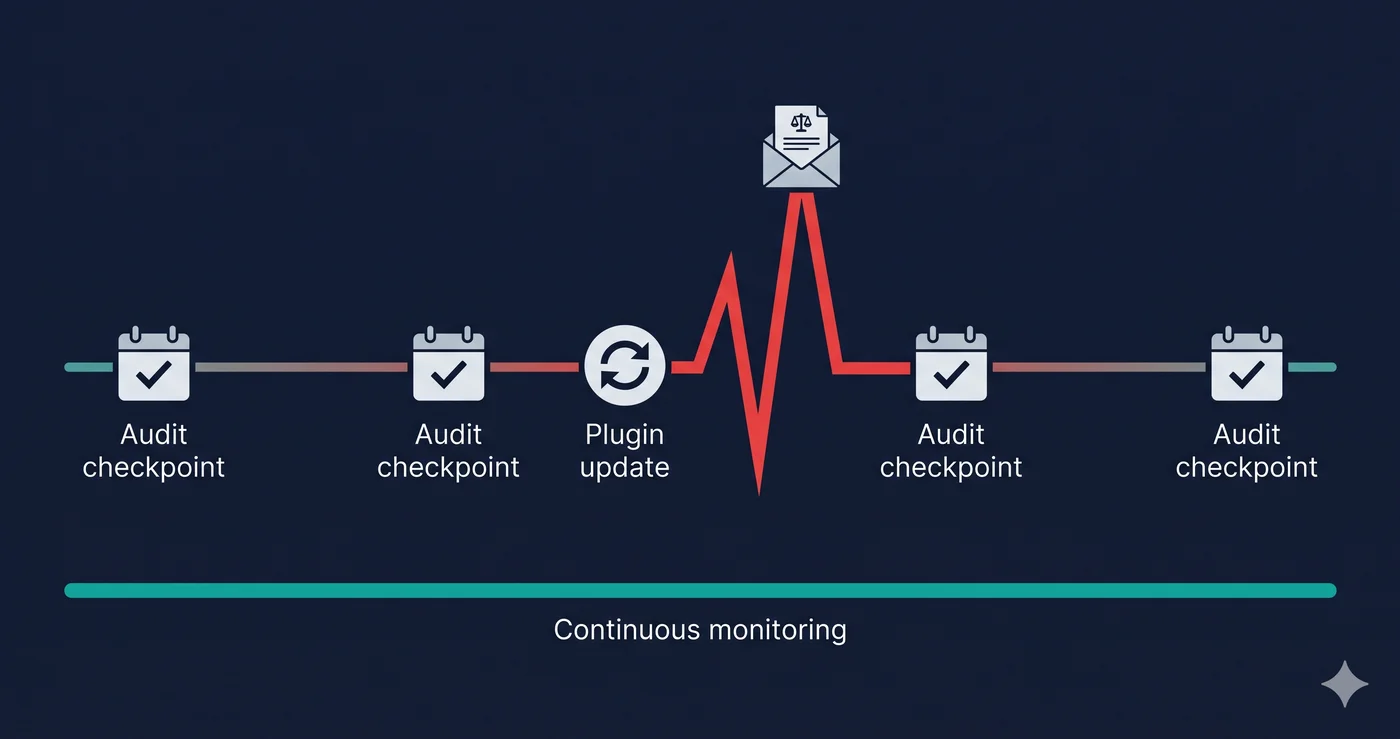
The only legally defensible approach to ADA compliance is code-level remediation: fixing the underlying HTML, ARIA, and keyboard navigation failures in your actual site. Courts consistently look for three things: documented source code remediation, a third-party audit confirming the fixes, and an ongoing monitoring program that catches new violations before plaintiffs do.
That process starts with a scan that tells you what actually needs to be fixed — using a tool that renders your page the way a real user or auditor would see it, not a static HTML parser or a toolbar overlay.
What to Do When You Find Violations
Run a proper accessibility scan — not an overlay demo that shows you a cleaned-up version of your page. When the report identifies specific violations, take the WCAG criterion numbers to your development team or platform vendor. WCAG 1.3.1 (Info and Relationships) on your checkout form is a structural fix. WCAG 2.1.1 (Keyboard) on your navigation menu is a JavaScript behavior change. These are solvable.
The distinction between what an overlay does and what genuine remediation does is the same distinction a plaintiff's attorney will make in their complaint.
The 30-Second Fix
ADAGuard scans your site in a real browser environment across 23 check modules — no overlay, no JavaScript injection, no promises it can't keep. Get your actual violation report for free at adaguard.io. Know exactly what needs to be fixed, and fix it at the source.