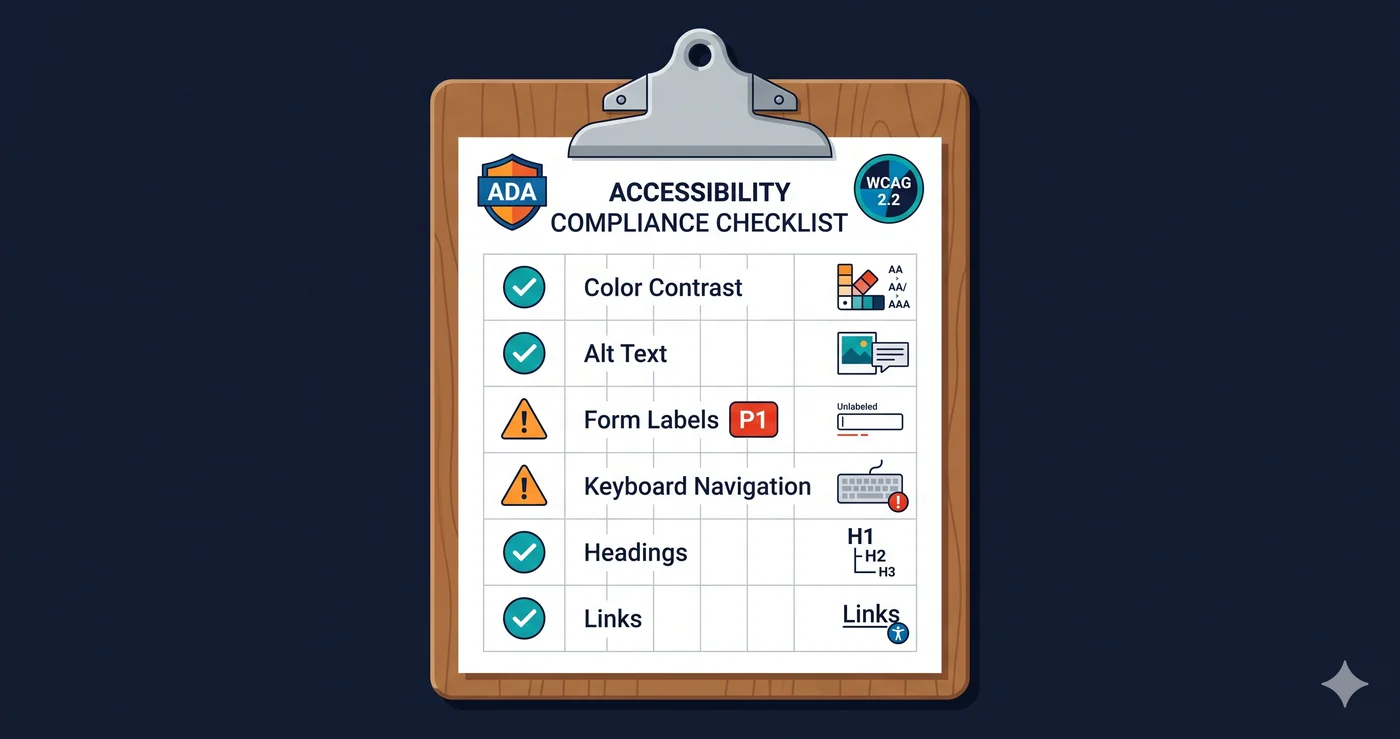
The ADA demand letter sitting in a business owner's inbox this week probably went to a company that ran a basic accessibility check. They looked at their homepage, saw it mostly looked fine, and moved on. Plaintiff firms looked at the checkout flow, the modal dialogs, the form labels, and the color contrast on hover states — and found what was actually broken.
An ada compliance checklist is only useful if it's exhaustive, prioritized, and tied to real testing — not a box-checking exercise that stops at alt text and calls it done. This guide covers the core categories that make up ADA compliance for websites in 2026, what WCAG 2.1 AA actually requires in each, and how to verify whether your site passes.
The Legal Foundation: What Does ADA Compliance Require?
Under the Americans with Disabilities Act Title III, private businesses open to the public must ensure their websites are accessible to users with disabilities. The Department of Justice has consistently referenced WCAG 2.1 Level AA as the benchmark in enforcement actions, consent decrees, and settlements.
In 2024, the DOJ formalized WCAG 2.1 AA as the explicit standard for ADA Title II (state and local government entities), with compliance deadlines of April 26, 2027 for entities serving 50,000 or more people, and April 26, 2028 for smaller entities. Private businesses under Title III face the same standard in practice — virtually every major settlement since 2020 cites WCAG 2.1 AA or 2.2 AA.
WCAG 2.1 Level AA has 50 success criteria organized under four principles: Perceivable, Operable, Understandable, and Robust (POUR). The ada compliance checklist below breaks these into the six most actionable categories for websites.
ADA Compliance Checklist by Category
| Category | Failure Rate (WebAIM 2026) | Auto-Detectable | Demand Letter Risk |
|---|---|---|---|
| Color Contrast | 83.9% of sites | ✅ Yes | High |
| Images & Alt Text | 55.5% of sites | ✅ Yes | High |
| Form Labels | 48.2% of sites | ✅ Yes | Critical |
| Empty Links & Buttons | 45.4% links / 29.6% buttons | ✅ Yes | High |
| Keyboard Navigation | Not auto-measured | Partial | Critical |
| Heading Structure | Common across sites | ✅ Yes | Medium |
| ARIA & Dynamic Content | Common in SPAs | Partial | High |
| Page Language | 15.8% of sites | ✅ Yes | Medium |
| Multimedia (Video/Audio) | Varies by site | ❌ Manual | High |
| Error Messages | Common in forms | Partial | High |
| Focus Management | Not auto-measured | Partial | Critical |
| PDF & Document Accessibility | Not tracked publicly | Partial | Medium |
Category 1: Color Contrast
WCAG 2.1 Success Criterion 1.4.3 requires a contrast ratio of at least 4.5:1 for normal text and 3:1 for large text (18pt or 14pt bold). Interactive components — buttons, form borders, links in body copy — must also meet contrast thresholds for their visual presentation.
The WebAIM Million 2026 report found low contrast text on 83.9% of the top one million websites, making it the single most pervasive WCAG failure by a wide margin. The average page had 34 distinct instances of low-contrast text — not one or two, but dozens of individual elements failing the same criterion.
What to check: Body text on all background colors, link text in paragraphs, placeholder text in form fields, button text on default and hover states, text overlaid on images or gradients, disabled element states.
What's often missed: Contrast ratios on interactive focus states, contrast of text in dark mode variants, contrast of error message text, and contrast on decorative elements that have been misclassified as informational.
Category 2: Images and Alt Text
WCAG 2.1 Success Criterion 1.1.1 requires every informational image to have descriptive alternative text. Purely decorative images must have empty alt attributes (alt="") so screen readers skip them entirely.
55.5% of home pages had images with missing alternative text according to WebAIM Million 2026. Across one million pages, that's over 66 million images tested, with millions lacking any text alternative. Product images, banner images, and image-based buttons are among the most commonly flagged.
What passes: Alt text that describes the content or function of the image — "Customer reviewing product at kitchen counter" for a lifestyle image, "Add to cart" for an add-to-cart icon. Not "image.jpg" or "product photo."
What's often missed: SVGs used as content elements (not decorative), complex infographics that need extended descriptions, image-based buttons in navigation bars, and images inside linked elements where the link has no other text.
Category 3: Forms and Labels
WCAG 2.1 Success Criterion 1.3.1 and 3.3.2 require every form field to have a programmatic label that assistive technologies can announce. Placeholder text alone does not satisfy this requirement — it disappears when the user starts typing and isn't reliably announced by all screen readers.
48.2% of home pages had missing form labels according to WebAIM 2026. In checkout flows, the rate is typically higher: fields are added by third-party payment apps and shipping calculators that don't inherit the parent page's accessibility approach.
What to check: Newsletter signup inputs, login forms, checkout address fields, quantity selectors, search inputs, date pickers, dropdown menus, and any custom UI widget that accepts user input.
What's often missed: Form validation errors that aren't programmatically linked to the field they describe. Error messages need aria-describedby or aria-errormessage to associate them with their respective inputs. A visible error message that a screen reader cannot connect to a specific field is a failure under 3.3.1.
Category 4: Links, Buttons, and Navigation
WCAG 2.1 Success Criterion 2.4.4 requires link text to make sense out of context. "Click here," "read more," and "learn more" links fail when they appear multiple times on a page with different destinations. Screen reader users who navigate by links hear a list of link labels — "read more, read more, read more" is not helpful.
45.4% of pages had empty links and 29.6% had empty buttons (WebAIM Million 2026). Empty links are anchors with no text and no aria-label — typically icon-only social media links. Empty buttons are similar: icon buttons without accessible names.
What to check: Social media icon links, icon-only action buttons (cart, search, close modal), "read more" links in article teasers, breadcrumb navigation links, pagination controls.
Category 5: Keyboard Navigation and Focus Management
WCAG 2.1 Success Criteria 2.1.1, 2.4.3, and 2.4.7 require that all interactive elements be reachable by keyboard (Tab key), that focus order be logical, and that the currently focused element have a visible focus indicator.
Keyboard traps — where focus enters a component and cannot escape using standard keys — are among the most frequently cited elements in ADA demand letters. A user who cannot close a cookie consent popup cannot proceed to use the site. A user who cannot exit a chat widget is effectively locked out of keyboard access to the rest of the page.
What to check: Tab through your entire checkout flow using only a keyboard. Verify that every modal can be closed with Escape, that focus moves into and out of modals correctly, that dropdown menus respond to arrow keys, and that autoplaying content has keyboard-accessible pause controls.
Category 6: Heading Structure and Page Landmarks
WCAG 2.1 Success Criterion 1.3.1 and 2.4.6 require that heading levels follow a logical hierarchy (H1 → H2 → H3, not H1 → H3 with no H2), that each page has one H1, and that page sections use semantic HTML landmarks (`,
,
,
,
Screen reader users navigate large pages by jumping between headings. A skipped heading level creates confusion about content hierarchy. Missing landmarks mean screen reader users cannot efficiently jump to the main content or navigation.
WCAG 2.2: Nine New Criteria That Matter in 2026
WCAG 2.2, published in October 2023, adds nine new success criteria. Four are now referenced in ADA settlements and the EAA:
- 2.4.11 Focus Not Obscured — Keyboard focus must not be entirely hidden by sticky headers, cookie banners, or chat widgets
- 2.5.3 Label in Name — The accessible name of an interactive element must contain the visible label text
- 2.5.8 Target Size (Minimum) — Touch/click targets must be at least 24×24 CSS pixels
- 3.3.7 Redundant Entry — Users shouldn't be required to re-enter information they've already provided in the same session
ADAGuard includes WCAG 2.2 checks across all plans, including bonus AAA checks (2.5.5 target size, 2.3.3 animation, 2.4.13 focus appearance) not included in most tools at any price tier.
Using This Checklist Effectively
An ada compliance checklist is a starting point, not a substitute for actual testing. The most common mistake is treating the checklist as a documentation exercise — checking boxes based on assumptions about your site rather than verified scan results.
The practical process:
-
Run an automated scan first — A website accessibility checker will flag every automatically detectable issue across your entire site. This covers approximately 78% of WCAG 2.2 AA criteria when using a full DOM scanner. It tells you which specific violations apply to YOUR site — not which violations might exist in theory.
-
Prioritize by severity — Color contrast, form labels, keyboard traps, and missing alt text (the categories with the highest failure rates) should be fixed first. These are what attract demand letters.
-
Give WCAG criterion numbers to your developer — "Fix accessibility" is not an actionable ticket. "Fix WCAG 1.4.3 color contrast failure on checkout button" is. Your scan report contains these references; your developer needs them to implement the correct fix.
-
Test interactively for keyboard and focus — Automated tools catch 78% of issues. The remaining 22% requires human keyboard testing and screen reader spot-checks on your highest-traffic flows.
-
Rescan after fixes — Verify each fix resolves the original violation before closing the ticket. Third-party plugin updates and CMS template changes can reintroduce violations within days.
The 30-Second Fix
Instead of working through this ada compliance checklist manually across every page of your site, run a free scan at adaguard.io. Paste your URL, get results in under a minute — no signup required. The scan returns which items on this checklist your site fails, with WCAG criterion references, element-level details, and severity scores across all 23 check categories.
Fix what the scan flags. Rescan to verify. That's more than most sites that get sued ever did.