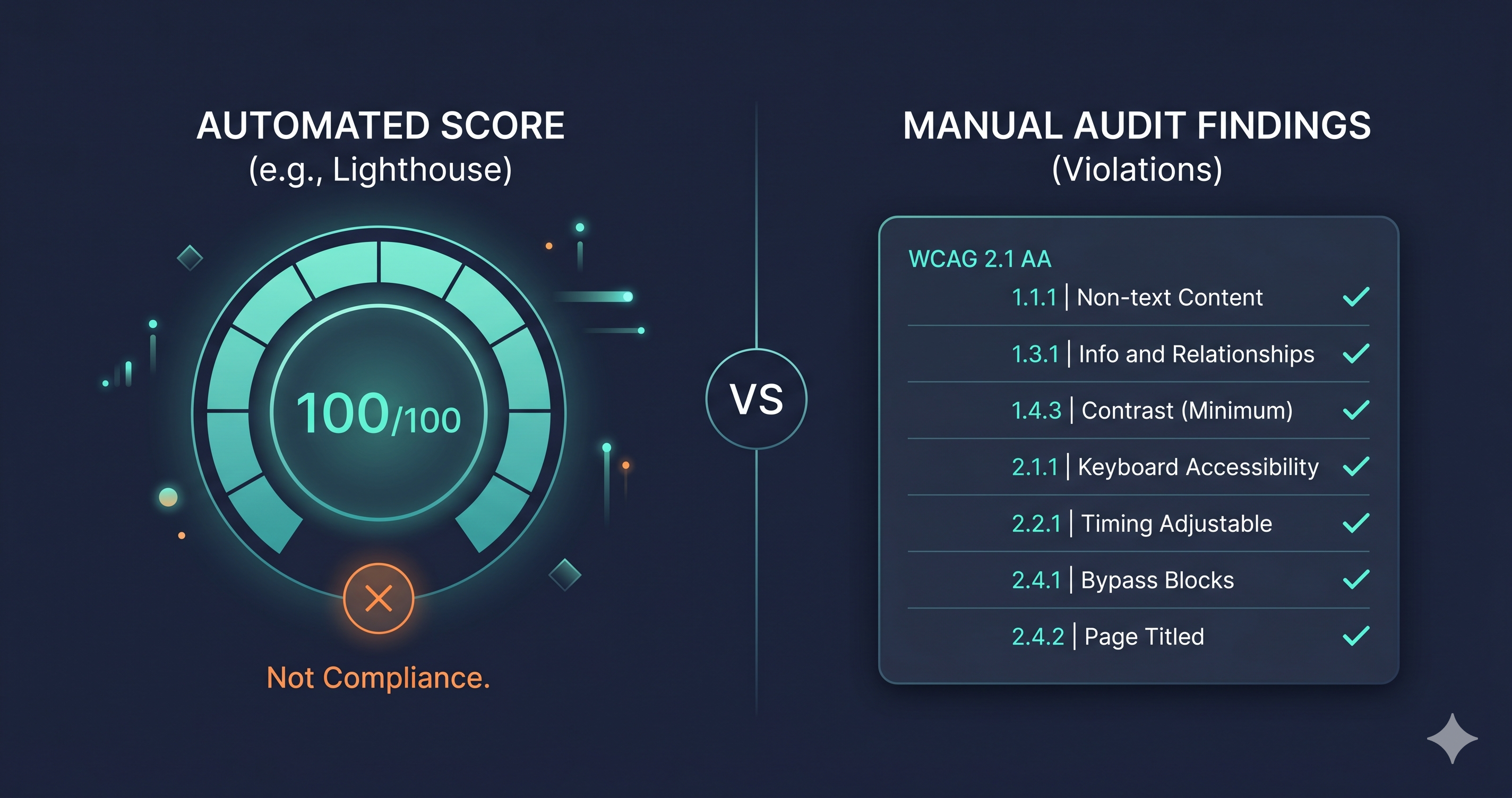
Run Lighthouse on your site. Watch it return a score of 97 — or even 100. Then try to navigate your checkout flow using only the Tab key, with your monitor off.
A high website accessibility checker score in Google Lighthouse does not mean your site is ADA or WCAG compliant. It means you passed Lighthouse's automated rules — a partial subset of WCAG 2.2 AA criteria that a headless browser could evaluate in a single static pass. The gap between those two outcomes is where most ADA demand letters originate, and it's where the technical difference between a scoring tool and a compliance tool becomes legally significant.
What Lighthouse Actually Measures
Google Lighthouse's accessibility module runs on axe-core — the open-source accessibility testing engine maintained by Deque Systems. When Lighthouse scores your page, it executes a selection of axe-core rules against the rendered DOM and returns a weighted average. A score of 100 means every automated rule passed.
Here's what that doesn't cover: Lighthouse's automated checks cover only a subset of WCAG 2.2 AA success criteria. Many violations that exist on a real page won't appear in a Lighthouse report. According to the Bureau of Internet Accessibility (BOIA), Lighthouse scores "aren't practically useful for determining whether your content follows WCAG 2.1 Level AA" because scores can't capture issues requiring human judgment or contextual evaluation of the rendered experience.
The violations Lighthouse systematically misses include:
- Keyboard trap failures in dynamically generated modals, drawers, and overlays
- Screen reader announcement accuracy — whether ARIA labels are meaningful in context, not just present
- Focus management in multi-step flows — whether focus moves correctly after state changes
- Meaningful alternative text — Lighthouse confirms an alt attribute exists; it cannot assess whether "img_0047.jpg" is adequate
- Colour contrast in interactive states — failures that only appear on hover, focus, or in open dropdown menus
- WCAG 2.2-specific criteria — including 2.4.11 (Focus Appearance), 2.5.3 (Label in Name), and 3.3.7 (Redundant Entry)
These aren't obscure edge cases. Missing meaningful alt text, broken focus traps in cart drawers, and unlabelled interactive elements are among the most frequently cited violations in ADA demand letters, according to UsableNet's 2025 mid-year report — the same report that documented 4,800+ ADA website lawsuits filed in 2025, a significant year-over-year increase.
The Core Technical Limitation
Lighthouse evaluates your page in a single snapshot. It renders the page, runs its rule set, and returns results. It does not interact with your site — it doesn't open modals, trigger state changes, submit forms, or move through multi-step checkout flows.
Your Shopify cart drawer, your email subscription pop-up, your review widget, your loyalty program portal — Lighthouse never opens any of them. If those components contain WCAG violations, a 100 Lighthouse score will never surface them. The violations exist in your production site. Your users encounter them. Plaintiff attorneys' automated crawlers can identify them. Lighthouse reports them as clean.
This is the fundamental structural limitation of any single-snapshot scoring tool: it evaluates one page state, not the user journeys that disabled users — and compliance auditors — actually navigate.
ADAGuard vs. Lighthouse: Side-by-Side Coverage
| Capability | Google Lighthouse | ADAGuard |
|---|---|---|
| WCAG 2.2 AA automated coverage | ~42% | ~78% |
| Check modules | axe-core subset | 22 custom checkers + axe-core (23 total) |
| JavaScript rendering | Partial — single page snapshot | Full — Playwright browser, all rendered states |
| Dynamic content testing | No — no interaction with components | Yes — tests modals, drawers, overlays |
| Authenticated scanning | No | Yes — tests login, checkout, and portal flows |
| WCAG AAA bonus checks | No | Yes — 2.5.5, 2.3.3, 2.4.13 on all plans |
| Section 508 coverage | Partial | Yes — all tiers |
| Pricing | Free (Chrome DevTools) | Free tier at adaguard.io — no signup |
| Exportable compliance report | No | Yes |
| EAA / EN 301 549 alignment | Partial | Yes |
The 36-percentage-point coverage gap — 42% vs 78% — isn't abstract. Those violations in the uncovered range include the kinds of WCAG failures that generate ADA demand letters: keyboard traps, unlabelled interactive controls, ARIA misuse in component libraries, and contrast failures in dynamic UI states.
Where the wcag checker Category Diverges
"WCAG checker" describes tools with very different architectures and coverage. The label applies equally to browser extensions that scan your HTML, developer tools that run inside CI/CD pipelines, and live-DOM scanners that render your full production site in a real browser session. The differences in what they catch are not cosmetic — they're structural.
ADAGuard uses a full Playwright browser session to render your site — the same kind of rendering environment your users' browsers use. It waits for JavaScript to execute, for third-party widgets to load, for your full marketing stack to inject its components into the DOM. Then it runs 23 check modules: axe-core plus 22 custom accessibility checkers targeting patterns that axe-core's standard rule set doesn't fully address, including WCAG 2.2-specific criteria, focus indicator detection, and authenticated flow testing.
The result is ~78% WCAG 2.2 AA automated coverage (43 of 55 criteria). ADAGuard is available free at adaguard.io — paste a URL, get a full compliance report, no account required.
Where Lighthouse Is Genuinely Useful
Lighthouse is a developer feedback tool, and in that role it's valuable. Catching a missing alt attribute during code review, flagging a low-contrast heading before deployment, or integrating accessibility checks into a CI/CD pipeline — these are exactly the workflows Lighthouse was designed for. Fast, free, and integrated directly into Chrome DevTools, it belongs in every developer's workflow.
The problem isn't using Lighthouse. The problem is treating a Lighthouse score as a compliance posture.
A score of 100 in Lighthouse clears every automated rule in its rule set. That's meaningful. It does not mean your site is accessible to users with disabilities. It does not satisfy the WCAG 2.2 AA standard. And it has not, to date, protected any defendant in an ADA lawsuit from liability.
What to Do When You Find Violations
An ADAGuard scan returns violations organized by WCAG criterion, severity, and affected element. Violations divide into two remediation categories: changes your platform or CMS settings can address without developer involvement, and changes requiring custom code or a support ticket to your platform or widget vendor.
For vendor escalations, don't describe the symptom — provide the WCAG criterion number. "Your modal dialog fails WCAG 2.1.2 — No Keyboard Trap" is a precise ticket that an accessibility-competent developer can act on directly. Criterion numbers convert vague accessibility concerns into specific, trackable technical requirements.
The scan result maps your actual violations. Two sites built on the same theme with the same apps can have different violation profiles depending on their configurations and customizations. Scan your site — not a representative example of sites like yours.
The 30-Second Fix
A Lighthouse score tells you how many automated rules you passed. An ADAGuard scan tells you how close you are to actual WCAG 2.2 compliance — what violations exist, where they live, what criterion they violate, and how severe they are.
Paste your URL at adaguard.io — no signup required. Get a live-DOM compliance report in under a minute. If your checkout, login flow, or password-protected portal needs authenticated scanning, ADAGuard covers those flows too — the ones Lighthouse never reaches.
A Lighthouse score is the start of an accessibility conversation. ADAGuard tells you where that conversation needs to go.