Checkout flows are where money moves, and they are also where ADA demand letters originate. A user who cannot complete a purchase because keyboard navigation fails in the address form, or because an error message is not announced to their screen reader, has experienced a real access barrier — the kind that plaintiffs' attorneys look for when building a case.
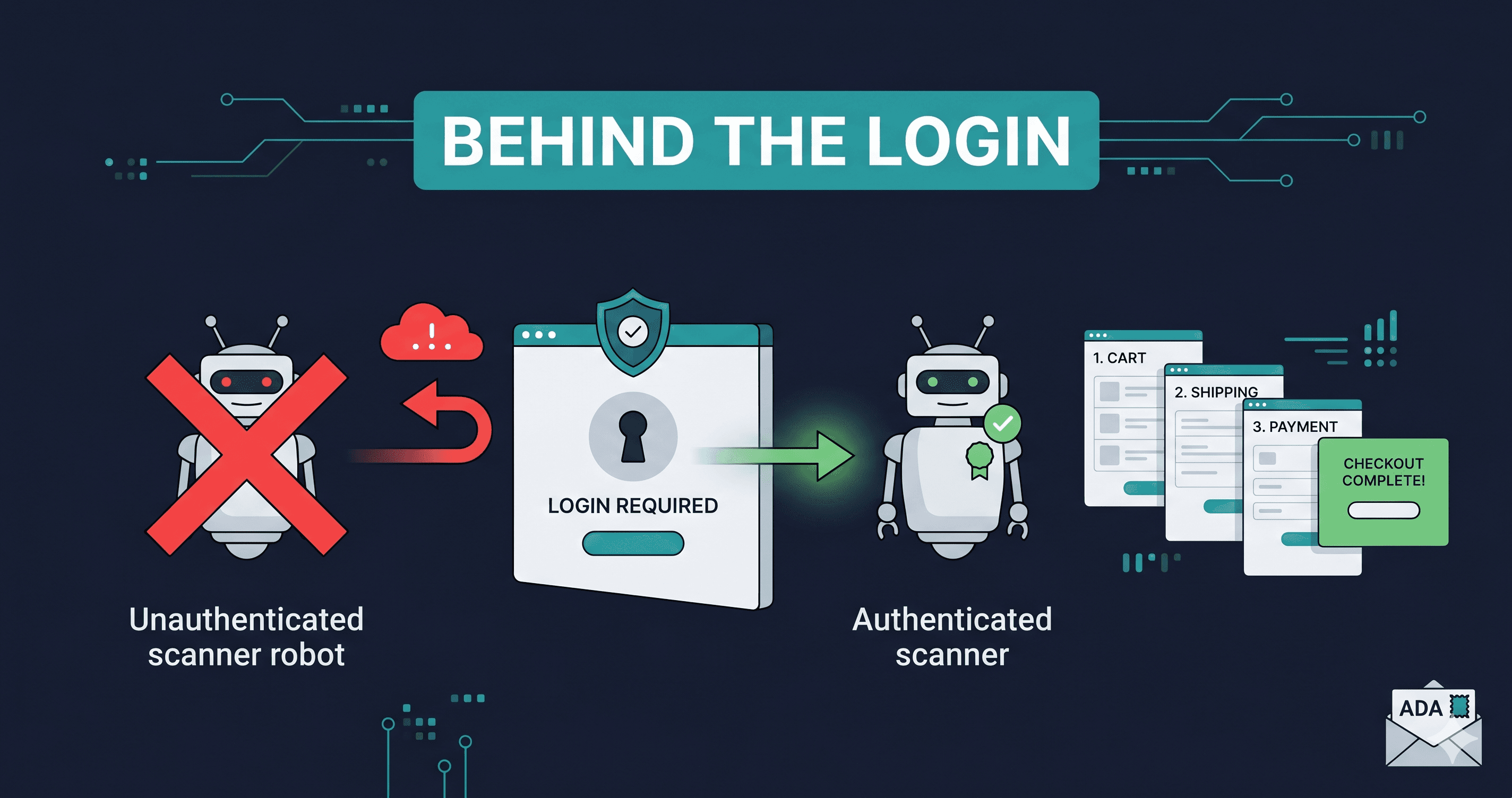
The problem is that standard accessibility scanners cannot see your checkout flow at all. They stop at the login wall, session boundary, or the point where a page requires interaction to reveal its content. Every violation inside your cart, checkout, account dashboard, and order confirmation page exists in a scanner-free zone under most compliance programs — not because those pages are clean, but because no tool has ever looked at them. Closing that gap is exactly what a dedicated ecommerce accessibility checker is built for.
The Scanner Blindspot: What Authentication Walls Actually Hide
The anatomy of a typical e-commerce accessibility program covers public-facing pages: homepage, product listing pages, product detail pages, blog posts, and landing pages. These are the pages any unauthenticated HTTP request can reach.
What they do not cover:
| Page Type | Why It's Hidden | ADA Lawsuit Risk |
|---|
| Cart and cart drawer | Requires session / AJAX call to populate | High — interaction-heavy, keyboard traps common |
| Checkout step 1 (contact info) | Often requires account or guest session | Critical — form label violations are top lawsuit trigger |
| Checkout step 2 (shipping) | Follows step 1 session state | High — address autocomplete violations, select menu issues |
| Checkout step 3 (payment) | Payment iframe inside checkout flow | High — focus management between frames is complex |
| Order confirmation page | Reached only after purchase | Medium — dynamic content announcements often broken |
| Account dashboard | Login-protected | High — for subscription businesses, this IS the product |
| Subscription portal | Login + product entitlement required | Critical — courts have ruled portals must be accessible |
A compliance program that audits only public pages has no information about any of these. If a demand letter arrives citing checkout form labeling issues, the first question asked is: "Did your accessibility audit cover checkout?" In most cases, the honest answer is no — because the standard tooling was never capable of testing it.
What Authenticated Scanning Is and Why It Changes Coverage
Authenticated scanning is exactly what the name implies: the scanner completes the login or session initialization process before running accessibility checks. Rather than fetching a page as an anonymous HTTP client, it navigates to the login page, fills credentials, submits the form, waits for the authenticated session to establish, and then proceeds to run checks against the pages that session can access.
ADAGuard's authenticated scanning capability uses Playwright-based browser automation to perform this login sequence. Once authenticated, it applies its full 23-module check suite — 22 custom accessibility categories plus axe-core — against the authenticated page state. This means checkout step 2 gets the same rigorous DOM-level analysis as the homepage.
For e-commerce stores specifically, authenticated scanning produces findings that public-page scans structurally cannot:
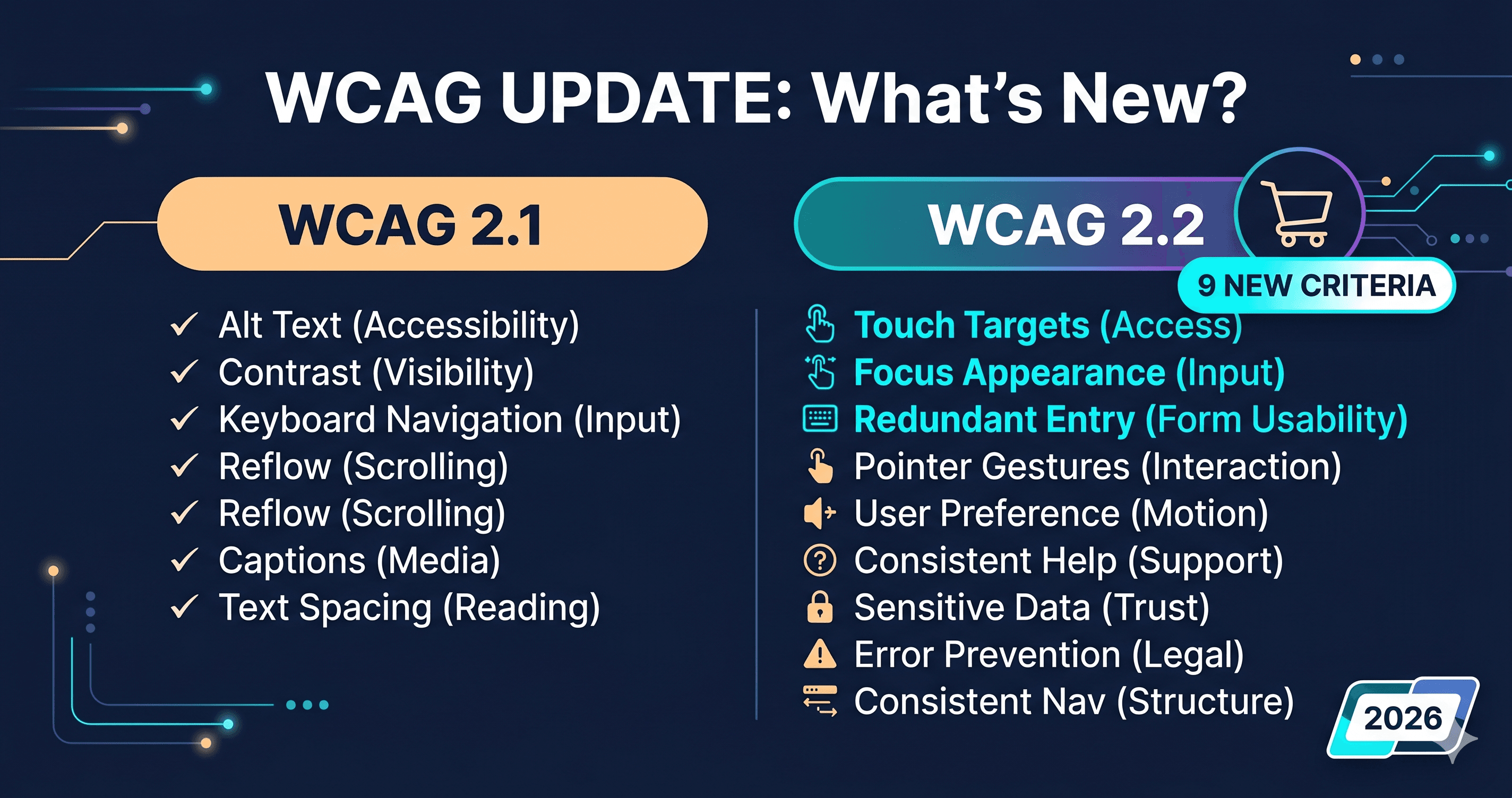
Form label violations in multi-step checkout. Address field labels that appear visually but are not programmatically associated with their inputs fail WCAG 1.3.1. These are among the most frequently cited violations in ADA demand letters targeting e-commerce.
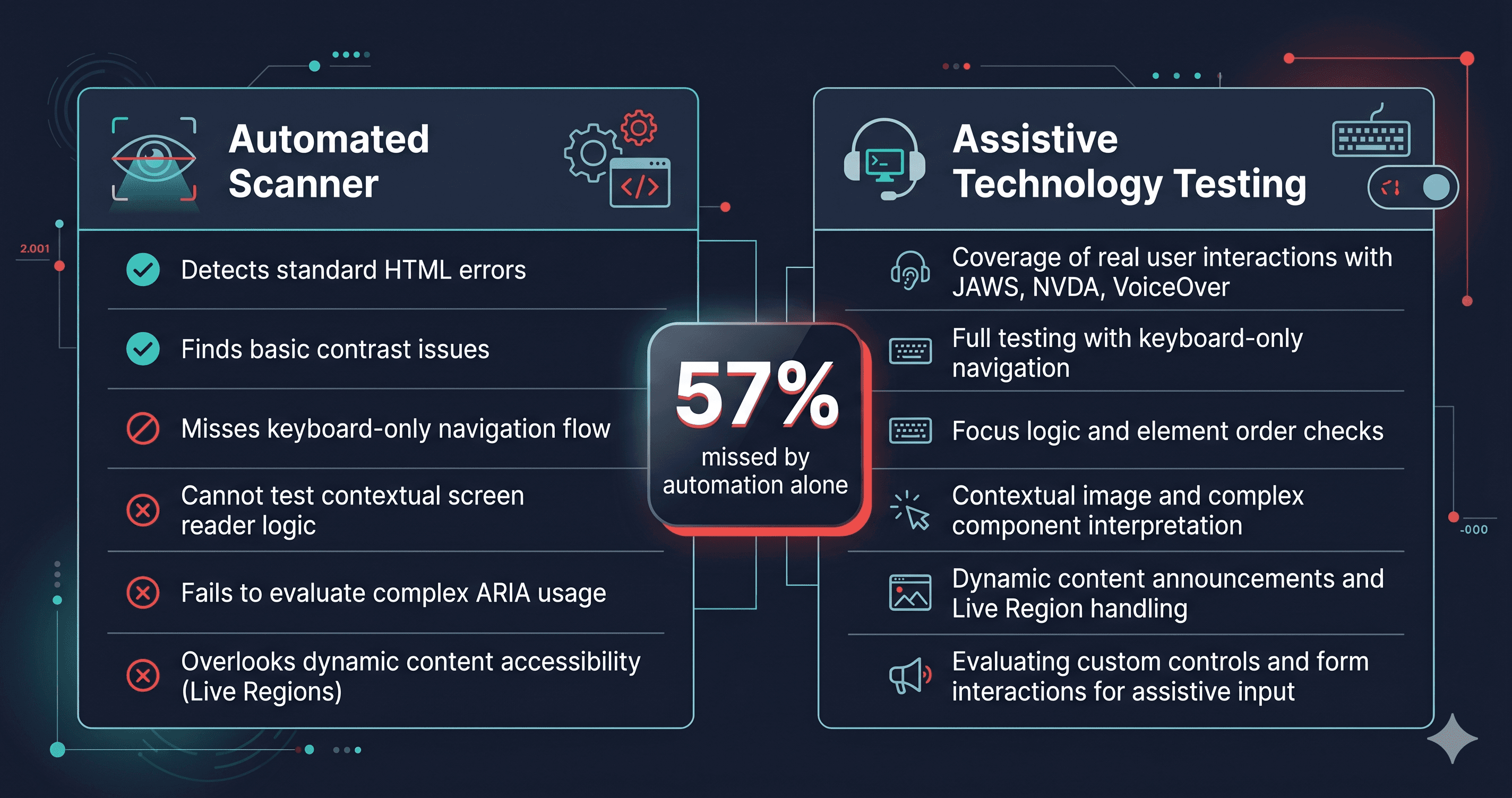
Focus management failures between checkout steps. When the user advances from step 1 to step 2, focus should move to the new section heading or the first interactive element in the new step. If it does not — if focus stays at the submit button from step 1 or drops to `` — a keyboard user cannot navigate forward without tabbing through the entire page.
Error announcement failures in payment forms. Credit card validation errors, expiration date errors, and CVV mismatches need to be announced by aria-live regions for screen reader users. If the error message appears visually but the live region does not fire, a blind user completing checkout cannot determine why their submission failed.
The Highest-Risk Checkout Elements
Based on the categories of violations that appear most frequently in ADA demand letters against e-commerce businesses, these are the checkout elements that require authenticated testing:
1. Guest checkout form fields. The first-name, last-name, email, and phone fields on the guest checkout screen are the most commonly cited form violations. The accessible name must be provided via a visible `` tag using for/id association — not by placeholder text alone. Placeholder text as the only label fails WCAG 1.3.1 and 3.3.2.
2. Shipping address autocomplete. Address autocomplete widgets are frequently third-party components (Google Places Autocomplete, Smarty Streets) that introduce their own accessibility issues. The autocomplete dropdown must be keyboard navigable and announced by screen readers. WCAG 1.3.5 requires that input purpose be identified for fields collecting personal information.
3. Payment frame transitions. Many checkout flows embed payment iframes (Stripe Elements, Braintree, PayPal). Focus management between the main document and the iframe is a known source of keyboard trap violations (WCAG 2.1.2). The "Pay Now" button after entering card details must be reachable by keyboard from inside the iframe.
4. Order confirmation dynamic content. The confirmation page is typically built with JavaScript-rendered dynamic content: order number, summary, estimated delivery. This content needs to be announced to screen readers. Without aria-live regions or proper focus management to the confirmation content, a screen reader user completing a purchase may receive no confirmation that it succeeded.
Why Monthly Authenticated Scans Are the Minimum Cadence
A one-time authenticated audit tells you what was broken on the day you ran it. E-commerce checkouts change constantly: payment processors update their hosted fields, Shopify pushes theme updates that affect checkout layout, apps inject new form elements, holiday-season redesigns roll out on a 48-hour notice.
Every change to your checkout flow is a potential new accessibility violation. A Shopify theme update in October that adds a new loyalty points redemption step to checkout — without accessible form labeling on the new fields — creates a WCAG violation the day it ships, regardless of whether your audit last month was clean.
Monthly authenticated scanning against all checkout steps, with alerts when new violations appear, is the minimum cadence for an e-commerce compliance program that holds up under scrutiny. The cadence justification is simple: ADA demand letters do not check whether the violation was introduced after your last audit. They describe the state of the site when the plaintiff visited it.
What to Do When Authenticated Scanning Finds Violations
Checkout violations tend to cluster around two categories: your own theme or checkout template code, and third-party payment or app injections.
For your own code: violations such as missing form labels, broken focus management, and absent error announcements require code changes in your checkout template. The specific WCAG criterion number from the ADAGuard report is the reference to give your developer — it defines exactly what the fix must achieve.
For third-party injections: payment iframes, address autocomplete widgets, and loyalty program components are outside your direct control. The path is to open a support ticket with the vendor, cite the specific WCAG criterion number, and request a fix. Well-resourced vendors (Stripe, PayPal, Shopify itself) have accessibility teams that respond to WCAG-cited support requests.
What you should not do is attempt to fix checkout violations without running a scan first. The specific violations on your checkout depend entirely on your theme, your installed apps, and your checkout configuration. Two Shopify stores using the same theme will have different violation profiles based on the apps they have installed.
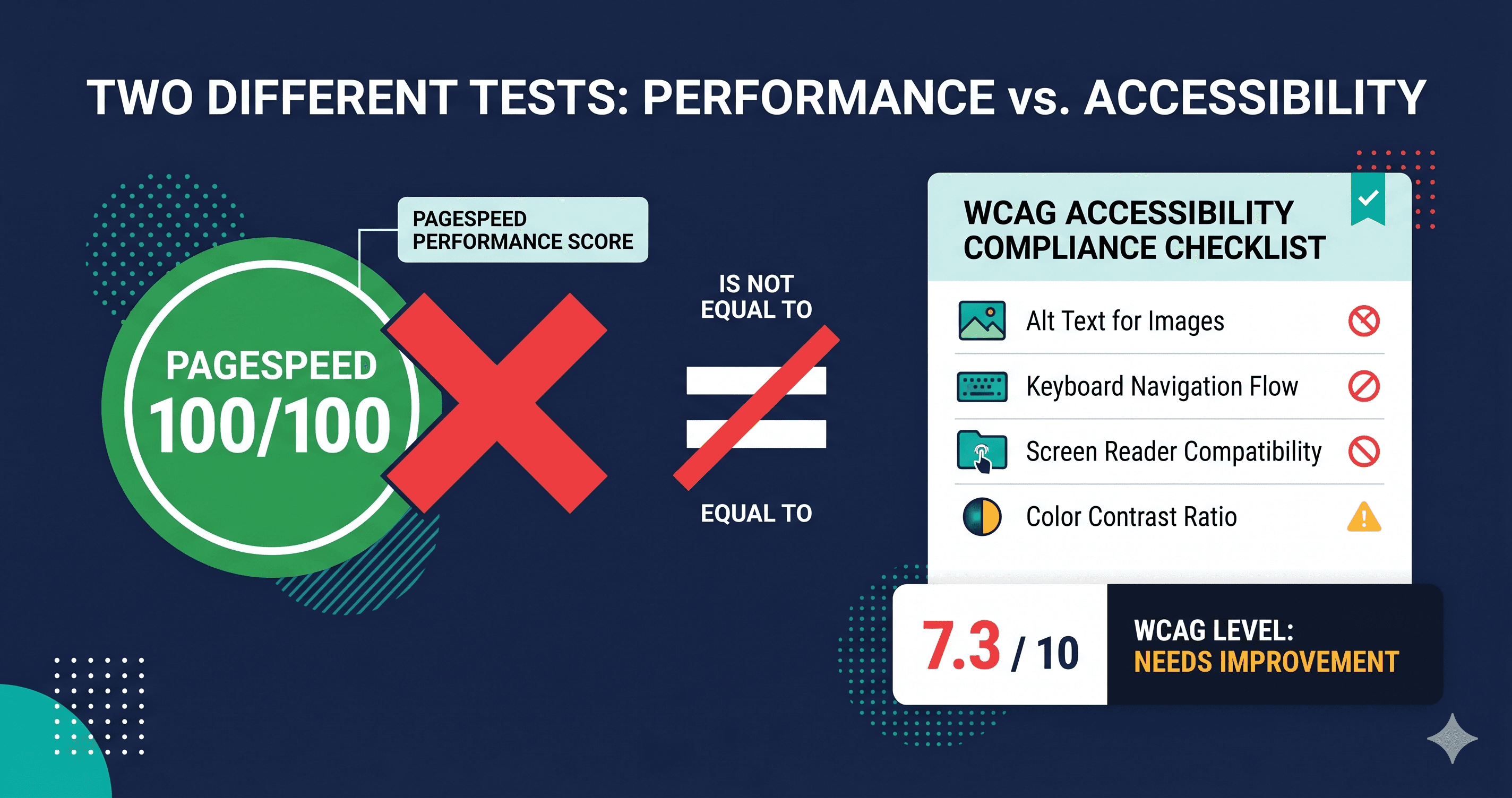
Run a free scan of your public pages at adaguard.io first to see the scope of issues on your accessible pages — then consider authenticated scanning to extend coverage to the checkout flows that standard tools cannot reach.
The 30-Second Fix
Your checkout flow is the highest-revenue, highest-legal-risk part of your store, and it has never been tested by your current accessibility scanner. That is not a guess — it is a structural limitation of standard scanning tools that do not perform authentication.
Visit adaguard.io to run a free scan of your public pages and see how many violations exist before authentication even enters the picture. The number will be instructive. And it is only the half your standard tools can see.