How to Handle Dynamic Content Updates for Screen Readers
Dynamic content that updates silently is one of the most common WCAG failures. Here's how to use ARIA live regions so screen readers announce every critical change.
Your cart total just updated. A form error appeared. A loading spinner finished. Did your screen reader user know? If you're relying on DOM changes alone — without ARIA live regions — the answer is almost certainly no.
Dynamic content that updates silently is among the most frequently cited WCAG violations in accessibility audits. WCAG Success Criterion 4.1.3 (Status Messages, Level AA) requires that status messages be programmatically determinable through role or properties so they can be announced by assistive technologies without receiving focus. Getting this wrong doesn't just frustrate users — it creates measurable legal exposure. In 2025, over 4,800 ADA website lawsuits were filed in U.S. courts (UsableNet), and ARIA-related errors appear on 65.4% of tested homepages according to WebAIM's Million Homepage analysis. Screen reader incompatibility is consistently in the top five cited violation categories.
What "Dynamic Content" Means in a WCAG Context
Dynamic content is any text, state, or UI element that changes after page load without a full page refresh. Common examples:
Dynamic Pattern
Screen Reader Risk
Cart quantity badge updates
Silent — user never hears the new count
Form validation error messages
Often announced only if focus is sent to the error
Ajax search results loading
No announcement when results appear
Toast/snackbar notifications
Appear visually, invisible to screen readers
Step indicators in checkout
Progress changes silently
Live chat unread count
Badge updates go unannounced
The gap between what a sighted user perceives and what a screen reader user hears is the accessibility failure — and it's the gap that plaintiff attorneys exploit in demand letters.
ARIA Live Regions: The Mechanism
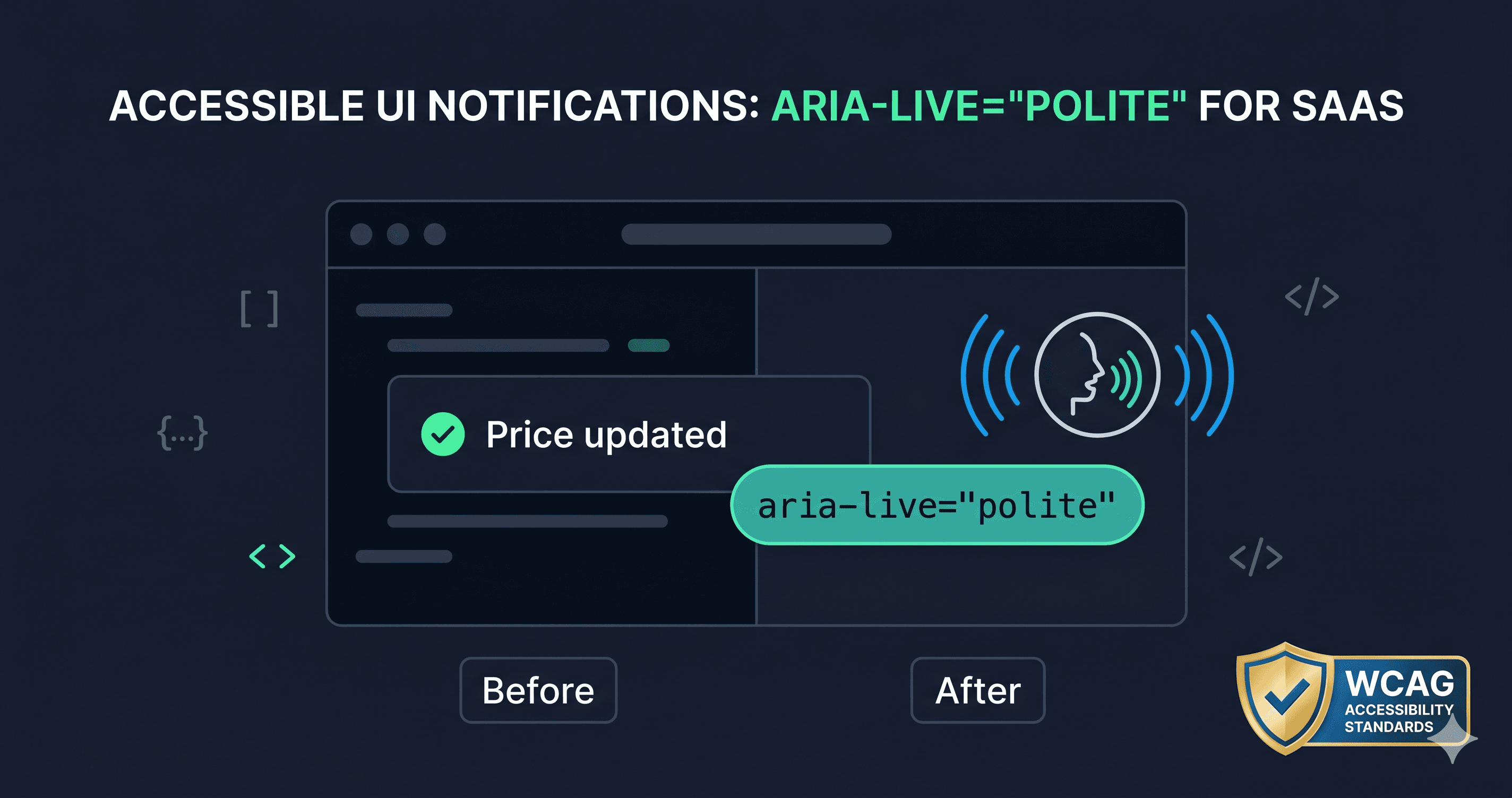
ARIA live regions are attributes you add to a container element. When content inside that container changes, the browser's accessibility tree notifies screen readers to read the change aloud — even if focus hasn't moved there.
The core attribute is aria-live, which accepts three values:
off — Default. No announcements. Do not use for dynamic regions.
polite — Announces after the user finishes their current task (the right default for most updates)
assertive — Interrupts the user immediately. Reserve for critical errors only.
Two supporting attributes refine behavior:
aria-atomic="true" — Reads the entire region when any part changes, not just the changed node. Use for short status messages where partial announcements would be confusing.
aria-busy="true" — Tells screen readers to wait for announcements until the update is complete. Set to false when done loading.
The One Rule That Trips Most Developers
The live region must exist in the DOM before content is injected into it.
This is the single most common implementation error. Developers dynamically create a <div> and insert it into the page at the same time they inject the message. The accessibility API hasn't registered the live region yet, so the announcement never fires.
The correct pattern:
[ HTML ]
<!-- Place this in your HTML at page load, empty -->
<div id="status-announcer" aria-live="polite" aria-atomic="true" class="sr-only"></div>
Then, via JavaScript, only update the text content — never recreate the element:
[ JS ]
document.getElementById('status-announcer').textContent = '3 items in your cart';
Wait at least 100–200ms after page load before injecting any initial message, to give the accessibility tree time to register the region. Some browser/AT combinations need up to 2 seconds for newly added live regions.
Polite vs. Assertive: The Decision Rule
Most developers reach for assertive because it feels "safer" — they want to be sure the user hears the message. This is the wrong instinct. aria-live="assertive" interrupts whatever the screen reader is currently reading, which disrupts users who are mid-sentence in another piece of content.
Use this decision tree:
Use polite for:
Cart and quantity updates
Search result counts ("24 results found")
Form autosave confirmations
Progress indicators
Success notifications
Use assertive for:
Session timeout warnings
Payment failure errors
System-level error alerts
Critical security notifications
When in doubt, polite is almost always the right answer.
Common Patterns and How to Implement Them
Cart update badge:
The badge number change alone is insufficient. The live region should announce the full context — not just the number.
On add-to-cart: document.getElementById('cart-status').textContent = 'Item added. Cart total: 3 items.'
Form validation errors:
WCAG 1.3.1 and 3.3.1 already require errors to be programmatically associated with their fields via aria-describedby. But for a summary error message that appears at the top of a form after submission, a live region ensures it's announced without forcing focus management.
Search results:
When results load via Ajax, announce the count. Don't rely on the user tabbing into the results list.
On results: '24 results for "accessible tables". Use Tab to browse.'
What to Do When You Find Violations
When a WCAG checker flags your dynamic content as non-compliant, violations usually fall into two buckets:
What you can fix in your codebase:
Add the empty live region container at page load
Change aria-live="off" to aria-live="polite" on existing containers
Set aria-atomic="true" on short status messages
What requires a support ticket to your platform/vendor:
If you're using a third-party cart widget, chat plugin, or search component, the live region behavior is inside the component's own code. Log a support ticket referencing WCAG 4.1.3 and WCAG 4.1.2 with the specific component name. Platforms like Shopify, BigCommerce, and Magento have accessibility teams that handle these tickets.
The first step is knowing which dynamic regions on your site are missing live regions — and that requires a live-DOM scan, not a static HTML check. ADAGuard renders JavaScript before scanning, so it catches dynamic region failures that static checkers miss entirely.
Test Across Multiple Screen Readers
ARIA live region behavior is inconsistent across screen reader and browser combinations. A region that works correctly in NVDA + Firefox may announce differently in JAWS + Chrome, and VoiceOver on Safari has historically had quirks with aria-atomic. Test your implementation with:
Screen Reader
Browser
Notes
NVDA
Firefox
Most consistent live region support
JAWS
Chrome
Enterprise standard — test thoroughly
VoiceOver
Safari (macOS)
aria-atomic behavior can vary
TalkBack
Chrome (Android)
Mobile — often overlooked
VoiceOver
Safari (iOS)
High-priority for e-commerce
If manual screen reader testing isn't in your workflow yet, start with an automated scan to identify which regions are missing the attribute entirely before investing testing time on pages that might not have any live regions at all.
The 30-Second Fix
Dynamic content updates are one of the hardest failures to catch manually — they require running the page, triggering state changes, and listening with a screen reader. Automated tools that only scan static HTML will miss them entirely.
ADAGuard renders JavaScript and tests dynamic behavior, flagging ARIA live region failures alongside all 22+ other WCAG check categories. Paste your URL at adaguard.io — no signup required — and see which dynamic patterns on your site are silently failing screen reader users.</div>