How to Make Price Sliders Accessible to Assistive Technology (WCAG 2026)
Price range sliders are among the most broken interactive components in e-commerce. Here's why they fail assistive technology and what WCAG 1.3.1, 4.1.2, and 2.1.1 require.
Price range sliders are in the crosshairs of accessibility litigation. E-commerce and retail businesses account for approximately 70% of all 2025 ADA digital accessibility lawsuits (WCAGsafe 2026 data), and filter components — including price sliders — are among the most frequently cited interactive elements. If your shop uses a custom price slider, there is a high probability it fails screen reader users entirely.
This post covers what WCAG requires for price sliders, the specific failure modes auditors find most often, and how to assess what's broken before writing a single line of code. Price sliders are one piece of a bigger pattern — see our ecommerce accessibility checker guide for the full range of what to scan for.
Why Price Sliders Break Assistive Technology
A price slider looks simple: two thumb handles on a track, a min value and a max value. For a sighted mouse user, it's intuitive. For a screen reader user or keyboard-only user, it depends entirely on what the underlying code communicates.
The default `` is natively accessible — browsers expose its role, value, and range to assistive technology automatically. But native range inputs are difficult to style to match brand aesthetics, so most e-commerce platforms and theme developers replace them with custom JavaScript implementations that look like sliders but communicate nothing meaningful to a screen reader.
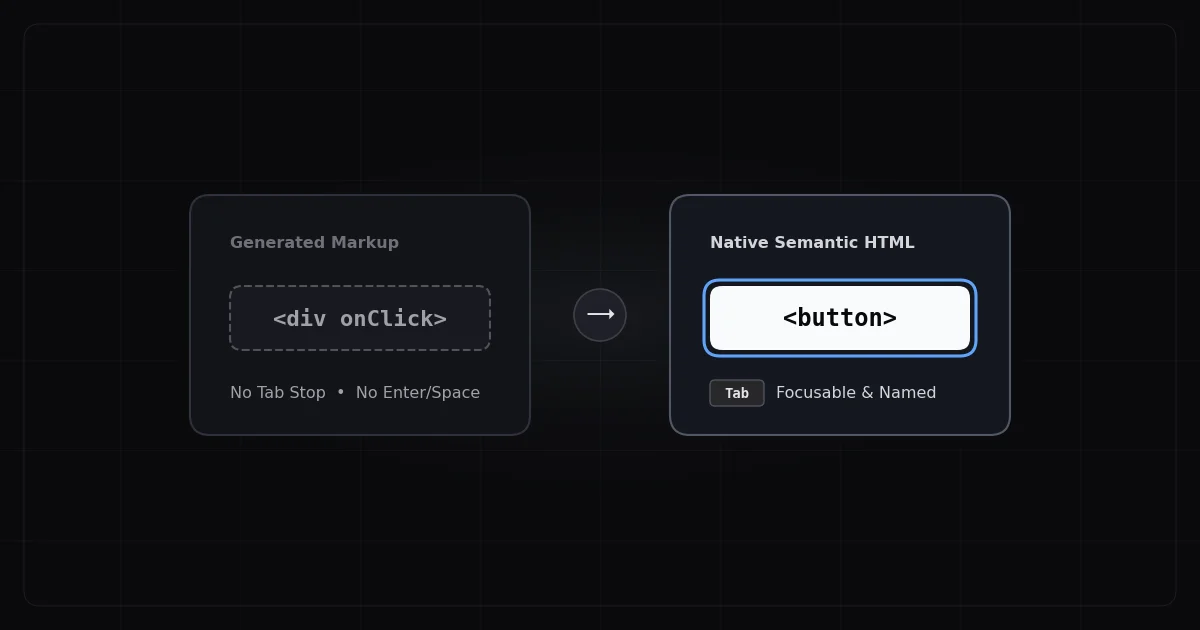
When a custom slider uses only <div> and <span> elements with mouse event listeners, a screen reader user hears nothing when the element receives focus — no role, no current value, no min or max range, no indication that interaction is even possible. The user passes through the component entirely unaware that a price filter exists on the page.
The WCAG Criteria That Apply
WCAG Criterion
Level
What It Requires for Price Sliders
1.3.1 Info and Relationships
A
Role, state, and value must be programmatically determinable
4.1.2 Name, Role, Value
A
Every UI component must have an accessible name, role, and value exposed to assistive tech
2.1.1 Keyboard
A
All functionality must be operable via keyboard (arrow keys for sliders)
2.1.2 No Keyboard Trap
A
Keyboard focus must not be trapped in the slider component
1.4.1 Use of Color
A
Current value must not be indicated by color alone
2.5.3 Label in Name
A
Accessible name must contain visible label text
2.4.7 Focus Visible
AA
Focus indicator must be visible on each slider handle
2.4.11 Focus Not Obscured
AA
Focused slider handle must not be hidden behind sticky headers
Failing 4.1.2 (Name, Role, Value) at Level A is a critical violation — the most serious classification. Most custom sliders fail this criterion.
The Three Most Common Slider Failures
No Role Exposed to Assistive Technology
Custom sliders built with divs have no ARIA role. When a screen reader focuses the element, it may announce nothing, or announce the element's class name. The user has no indication this is an interactive slider component.
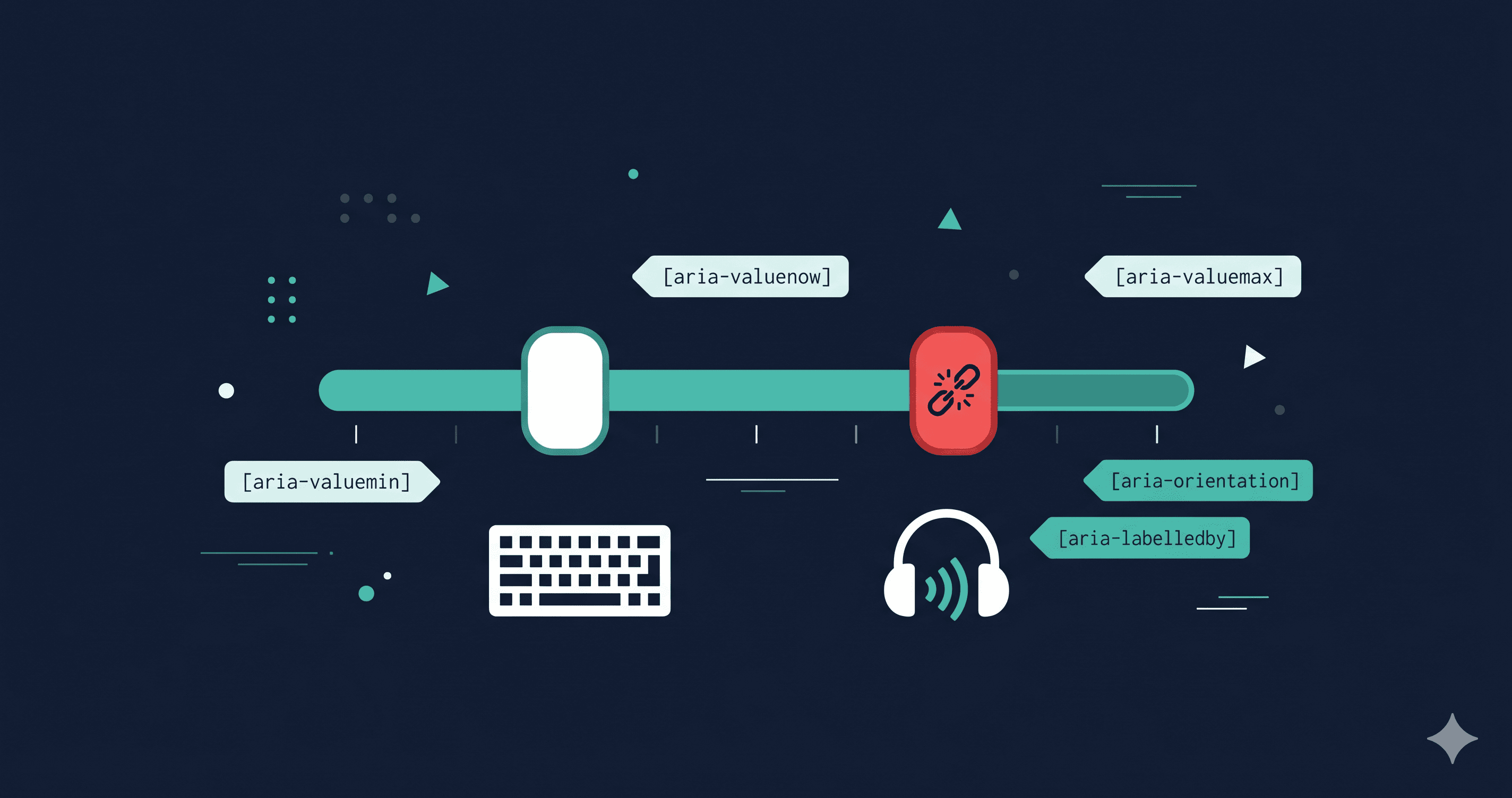
The fix requires role="slider" on each thumb handle. But role alone isn't enough — the required accompanying ARIA attributes must be present too.
Missing or Static Value Announcements
WCAG 4.1.2 requires that the current value be programmatically determinable. This means aria-valuenow must update as the slider moves. Many implementations set the initial value but never update aria-valuenow during interaction, so a screen reader user always hears the starting value regardless of where the handle is.
Additionally, aria-valuemin and aria-valuemax must be set so the screen reader can announce the full range (e.g., "50 dollars, minimum 0, maximum 500"). Without min/max, the user doesn't know the slider's range.
For price sliders, aria-valuetext is also important — it lets you announce "$50" instead of just "50", providing meaningful context rather than a bare number.
Touch + Assistive Technology Incompatibility
The W3C explicitly warns that ARIA slider patterns have known issues in touch + assistive technology scenarios. VoiceOver on iOS and TalkBack on Android interact with sliders differently from desktop screen readers. Many implementations that work with NVDA on Windows fail entirely with VoiceOver on iPhone — a critical gap given mobile commerce traffic.
Before deploying any custom slider, it must be tested with VoiceOver on iOS, TalkBack on Android, NVDA on Windows, and JAWS on Windows. Passing one screen reader does not mean passing all.
What Correct Implementation Requires
A compliant two-thumb price slider requires, at minimum:
role="slider" on each thumb handle
aria-label or aria-labelledby giving each handle an accessible name (e.g., "Minimum price" and "Maximum price")
aria-valuenow updating dynamically as the handle moves
aria-valuemin and aria-valuemax set to the range bounds
aria-valuetext providing formatted price strings (e.g., "$50" not "50")
Arrow key support: Left/Down to decrease, Right/Up to increase
Home key to jump to minimum, End key to jump to maximum
Visible focus indicators on each handle meeting WCAG 2.4.7
This is a non-trivial implementation. Platforms like Shopify, WooCommerce, and BigCommerce often delegate slider components to theme developers or third-party plugins that may not implement all of these requirements.
What to Do When You Find Violations
Price slider violations fall into two buckets:
Plugin or theme component: Most price range sliders in e-commerce come from a theme or a filter app — not code you wrote. If the slider is provided by a third-party plugin, open a support ticket citing WCAG 4.1.2 (Name, Role, Value) and WCAG 2.1.1 (Keyboard). Include which specific attributes are missing. Vendors with enterprise or accessibility-focused customers respond to criterion-specific bug reports far faster than generic "it's not accessible" complaints.
Custom implementation: If your team built the slider, the fix involves adding the ARIA attributes listed above and wiring them to the interaction handlers. The W3C APG multi-thumb slider example is the authoritative reference pattern. Testing must include real assistive technologies — automated tools alone will not catch all failures.
The critical first step in either case is knowing which sliders on your site are actually failing. Not every price slider implementation has the same issues, and not every page with a slider is equally exposed.
ADAGuard's Coverage Advantage
Slider accessibility failures are behavioral — they require JavaScript execution to assess. ADAGuard renders JavaScript on every scan and uses 22 custom checker modules plus axe-core integration, reaching approximately 78% WCAG 2.2 AA automated coverage (43 of 55 criteria). This means slider-related failures under 4.1.2 and 2.1.1 are far more likely to be surfaced in your scan report.
With 94.8% of websites failing basic accessibility standards and the average homepage containing 51 accessibility errors (WebAIM 2025), price sliders are rarely the only issue — the scan gives you the full picture.
The 30-Second Fix
Run a free scan at adaguard.io — no signup needed, JavaScript rendered. The report shows which WCAG criteria your price slider violates, with the specific element selectors your developer needs to fix or include in a vendor support ticket.</span></div>