Netflix was sued for failing to provide closed captions on streaming content. Domino's was taken to the Supreme Court over inaccessible digital platforms. These weren't edge cases in an obscure area of law — they were signal events that expanded ADA liability into every digital channel a brand operates. In 2026, that includes social media.
The DOJ's ADA Title II rule, finalized in 2024, explicitly includes social media content published by public entities as covered digital content requiring WCAG 2.1 AA compliance. For private brands under Title III, the same logic that extended ADA liability to websites now extends to social media accounts that function as a place of public accommodation's digital presence. And under the European Accessibility Act — in enforcement since June 28, 2025 — any brand with EU users must make its digital communications, including social content, accessible.
What "Accessible Social Media" Actually Means
Accessible social media isn't a separate standard — it's WCAG 2.1 AA applied to the content you publish on social platforms. The principles that apply to your website apply to your posts: perceivable, operable, understandable, and robust. In practice, this means four primary requirements:
1. Alt text on images. Every non-decorative image you publish must have a text description that communicates the content and purpose of the image to someone who cannot see it. "Photo of a product" is not sufficient. "Red leather tote bag with brass hardware, shown against a white background" communicates the visual information.
2. Captions on video. Every video with audio — promotional videos, tutorials, product demos, reels, stories — must have accurate, synchronized captions. AI-generated captions are only 85–90% accurate according to accessibility specialists. They must be reviewed and corrected before publishing.
3. Meaningful text in graphics. Images of text — a quote card, a promotional graphic with pricing, an announcement designed in Canva — must have alt text that includes the text in the image. If the image contains text that isn't in the alt text, screen reader users miss that information entirely.
4. Plain language and reading order. Posts should use plain language. Excessive emoji use disrupts screen reader announcements — a line of 10 fire emojis reads as "fire fire fire fire fire fire fire fire fire fire." Use emoji sparingly and place them at the end of text, not mid-sentence.
Platform-by-Platform Accessibility Guide
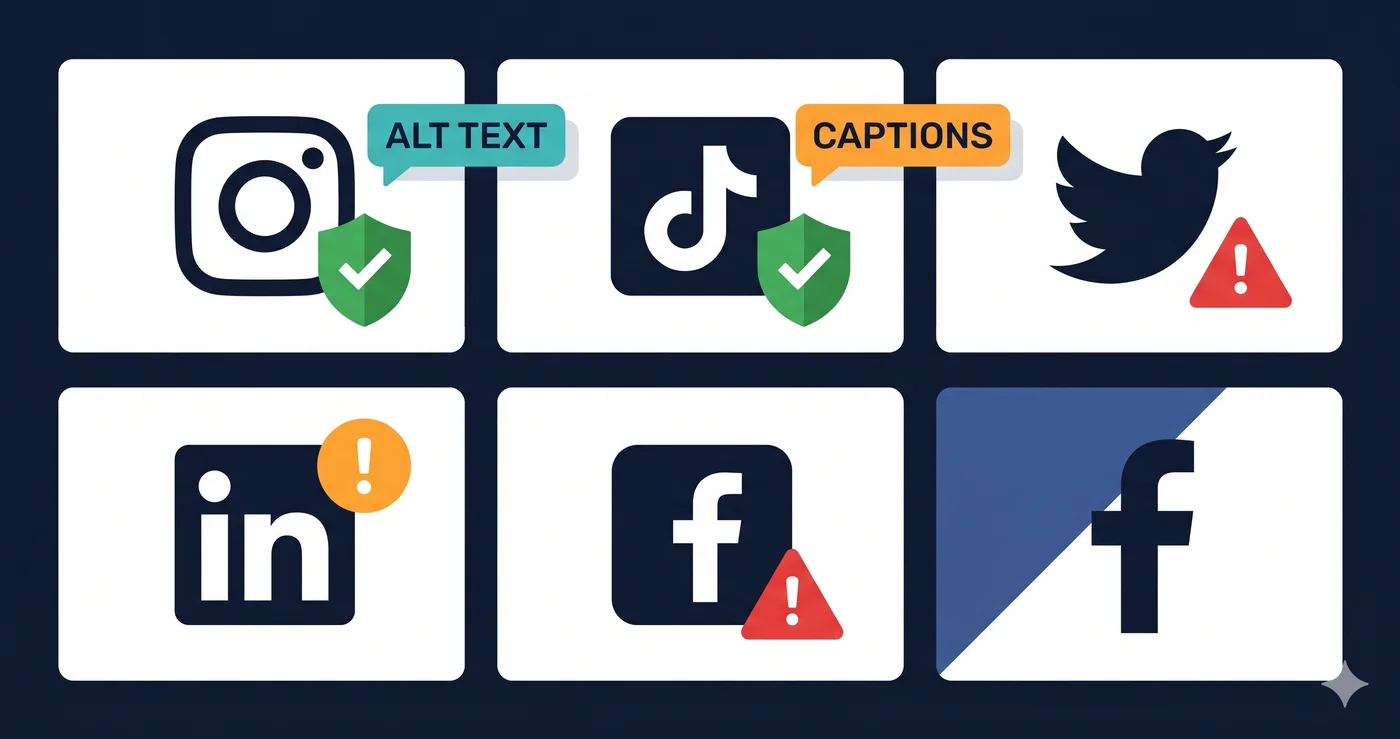
| Platform | Built-In Alt Text | Caption Feature | Risk If Skipped | Notes |
|---|---|---|---|---|
| Yes — in Advanced Settings on each post | Auto-captions for Reels (requires manual review) | Medium-High | Alt text must be added manually; auto-alt is low quality | |
| Facebook / Meta | Yes — "Edit Image Description" on each post | Auto-captions for video | High — large audience including older users with disabilities | Facebook's audience skews older; disability rate is higher |
| X (Twitter) | Yes — "Add description" on image upload | Caption upload for video | Medium | Caption file (.SRT) must be uploaded manually |
| Yes — "Add alt text" on image upload | Manual SRT upload for video | Medium-High — B2B brands face procurement accessibility requirements | LinkedIn used by HR/procurement buyers who evaluate vendor accessibility | |
| TikTok | Limited — no native alt text for photos | Auto-captions for video (toggle required) | High — video-first platform, captions are the primary requirement | Auto-captions must be enabled per-video; quality varies |
| YouTube | Yes — via description and chapter markers | Auto-captions + manual correction | Very High — most regulations cite video captions explicitly | Auto-captions must be reviewed; accuracy varies by accent and technical vocabulary |
| Yes — via "Add alt text" | N/A (image platform) | Low-Medium | Description field doubles as alt text for screen readers |
The Caption Gap: What "Auto-Captions" Actually Delivers
Every major platform now offers AI-generated automatic captions for video content. This has created a false confidence problem: marketers enable auto-captions, assume compliance is achieved, and publish without reviewing the output.
AI caption accuracy is 85–90% under ideal conditions — clear audio, standard accent, minimal background noise. For branded content with product names, industry jargon, or non-US English accents, accuracy drops significantly. A single misheard word can change the meaning of a sentence or create a legally false caption.
WCAG 1.2.2 requires captions to be "accurate" — it does not define an acceptable accuracy percentage, but regulators and plaintiff attorneys have treated systematic AI-caption errors as violations. The correct workflow is: enable auto-captions, review and correct every caption before publishing, then publish.
For high-volume social content teams, the practical solution is caption file management: write the script before filming, use that script as the basis for your caption file (.SRT format), and upload the caption file rather than relying on auto-generation.
Hashtags and Emoji: The Hidden Screen Reader Problem
Two common social media conventions create unnecessary accessibility problems:
CamelCase hashtags. A hashtag like #nationalaccessibilityawarenessmonth is read by screen readers as a single, unpunctuated string — difficult to understand. #NationalAccessibilityAwarenessMonth is read correctly because the capital letters signal word boundaries to screen readers. This applies to all multi-word hashtags.
Mid-sentence emoji. Screen readers announce every emoji's name. "Our sale starts Monday 🔥 shop now 🛍️ before it's 🔥 gone" becomes "Our sale starts Monday fire shop now shopping bags before it's fire gone." Restructure posts to place emoji at the end: "Shop our sale starting Monday — limited stock. 🛍️🔥"
What to Do When Your Team Lacks Accessibility Resources
Most social media teams don't have a dedicated accessibility specialist. The practical approach is to build accessibility into existing production steps:
Image production: Add alt text as a required field in your content brief template. Anyone writing copy for a social post writes the alt text at the same time. A one-sentence description of the image takes 15 seconds and satisfies WCAG 1.1.1.
Video production: Include captions in your video production brief as a deliverable, not an afterthought. If you're using an editing tool, export an .SRT file from the edited transcript. If you're filming natively, review auto-captions before publishing.
Graphic templates: If your design team creates templated graphics (announcements, quotes, promotions), build an accessible version of each template — text in the image is duplicated in the copy or alt text.
Your brand's website accessibility starts with a website accessibility checker — a scan of your live site that surfaces violations before they surface in a demand letter. Run your site through adaguard.io for a free WCAG 2.2 scan covering 23 check categories. Social media compliance requires the same systematic approach: build the checklist into your workflow, audit your published content periodically, and fix what the process misses before a regulator or plaintiff does it for you.
The 30-Second Fix
Accessible social media starts with an accessible website. Paste your URL at adaguard.io — no signup required — and get a full WCAG 2.2 AA accessibility scan in 30 seconds. ADAGuard's ada compliance checker covers ~78% of detectable violations, giving you the baseline data you need to prioritize your digital accessibility roadmap — web, email, and social together.