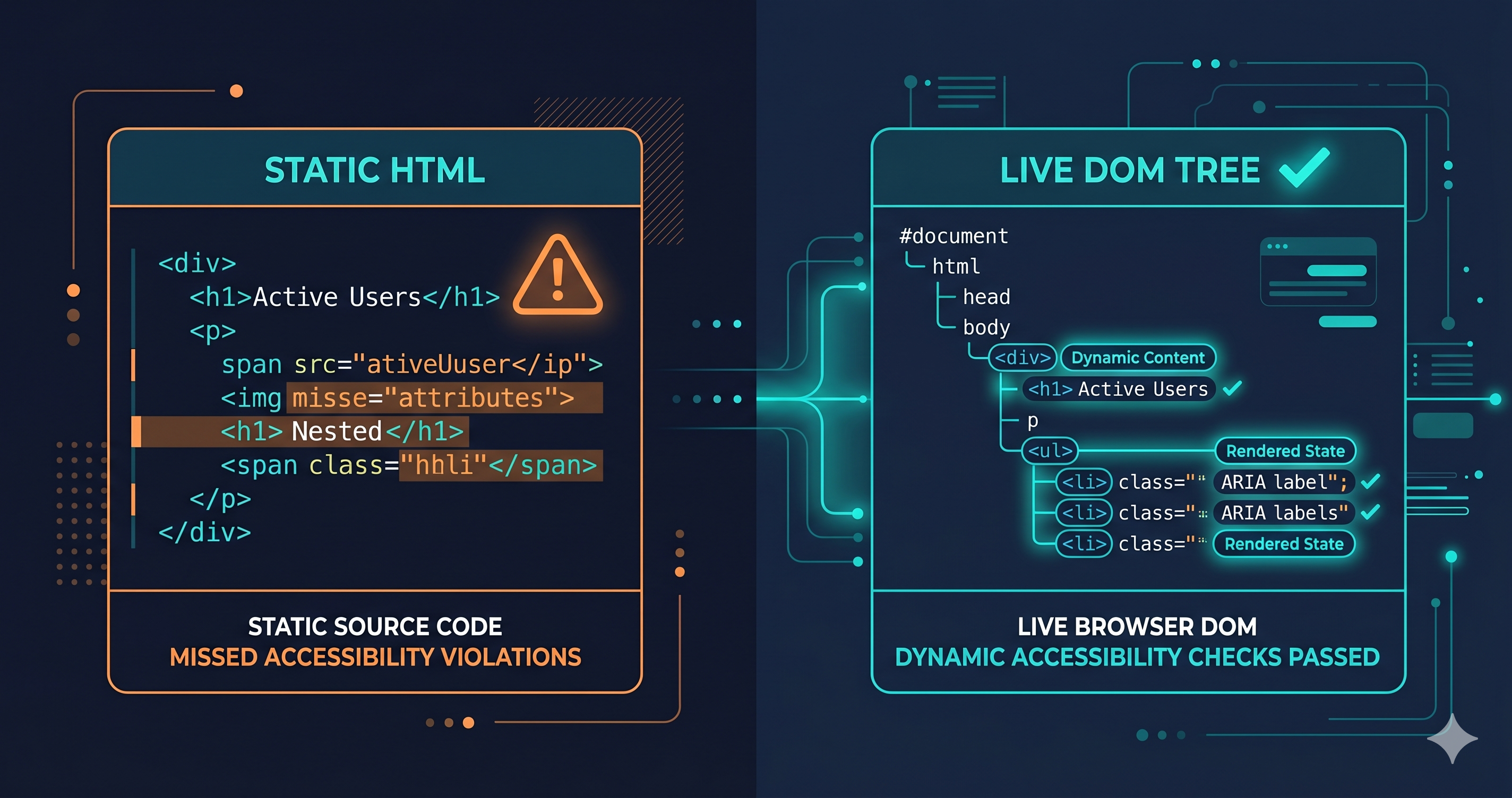
Your HTML passes every static check. The alt attributes are present. The form labels are in the source. The heading hierarchy is clean. And yet, somewhere in your JavaScript component library, a modal is trapping keyboard users. A cart drawer has unlabelled controls. A pop-up is invisible to screen readers.
Your website accessibility checker reported those pages as compliant. The users experiencing those failures have no way to know why the tool said otherwise.
This is the core problem with static HTML scanning — and it explains why a growing share of ADA demand letters target sites that have run accessibility scans and believe themselves to be clean.
What Static Scanning Actually Evaluates
Static accessibility scanners work by parsing your page's HTML — either the source document returned by the server, or a snapshot of the DOM at a single point in time. They check the markup for structural violations: missing alt attributes, unlabelled form inputs, skipped heading levels, improper use of ARIA roles in the authored HTML.
These are real, meaningful checks. Missing alt attributes on product images and unlabelled form inputs are among the most commonly cited violations in ADA demand letters (UsableNet, 2025). Static scanning catches them reliably and cheaply.
The limitation appears as soon as you ask what your page looks like after the browser has done its job.
Modern web applications don't exist as static HTML. They exist as JavaScript applications that use the DOM as their output. A React component renders nothing in source HTML — it renders in the browser after the JavaScript bundle executes. A Shopify theme's cart drawer doesn't exist in the page source at all; it's injected into the DOM when a user clicks "Add to Cart." A third-party review widget, pop-up manager, or loyalty program overlay renders entirely in JavaScript.
When a static scanner reads your page, it sees the pre-JavaScript skeleton. When your user visits your page, they experience the post-JavaScript application. Those are fundamentally different objects.
What Only Lives in the Rendered DOM
The violations that static scanners systematically miss are those that emerge from the gap between your HTML and your browser's assembled DOM:
Keyboard traps in dynamic modals. A static scanner checks whether your source HTML has the right structure. It cannot open a modal, check whether focus enters correctly, verify that Tab moves through the correct elements, and confirm that Escape dismisses the dialog and returns focus to the trigger. That sequence requires interaction — a live browser, navigating a real session.
Unlabelled controls in JavaScript-generated components. Your AJAX cart drawer is built by JavaScript. Its buttons and quantity selectors are assembled in the DOM at runtime. Static scanning of your HTML will not see them — and cannot flag the missing aria-label attributes on controls that don't exist in source.
Colour contrast in dynamic states. WCAG 1.4.3 requires a minimum contrast ratio for text, but some of the most common failures appear only in hover states, focus rings, or dropdown menus that a static scan never triggers. A static scanner evaluates the default page state. The hover state where your navigation link drops to 2.1:1 contrast is invisible to it.
ARIA misuse in component libraries. A role="dialog" without aria-modal="true" looks fine in static HTML and may be structurally valid. The failure only manifests when a screen reader user opens the dialog and background content remains accessible — creating confusion rather than isolation. Live DOM evaluation with screen reader simulation catches this pattern. Static scanning often doesn't.
Third-party widget violations. Your marketing stack is full of injected components — pop-up managers, chat widgets, review platforms, SMS opt-in overlays. Every one of these injects HTML and JavaScript into your DOM at runtime. Static scanners don't see them. Your users do.
Static vs. Live DOM: What Each Method Finds
| Check Category | Static HTML Scanner | Live DOM Evaluation |
|---|---|---|
| Missing alt attributes (static images) | ✓ Detected | ✓ Detected |
| Heading hierarchy in source | ✓ Detected | ✓ Detected |
| Unlabelled inputs in source HTML | ✓ Detected | ✓ Detected |
| JavaScript-rendered component violations | ✗ Missed | ✓ Detected |
| Keyboard trap in modals/drawers | ✗ Missed | ✓ Detected |
| Colour contrast in hover/focus states | ✗ Missed | ✓ Detected |
| ARIA misuse in runtime-assembled DOM | Partial | ✓ Detected |
| Third-party widget violations | ✗ Missed | ✓ Detected |
| Authenticated flow violations (checkout, login) | ✗ Missed | ✓ Detected (with auth) |
| WCAG 2.2 new criteria (2.4.11, 2.5.3, etc.) | Partial | ✓ Detected |
According to research from TestParty (2025), even advanced automated tools detect between 25% and 40% of WCAG 2.2 violations when operating on static snapshots. The remaining violations require either manual testing or a live-DOM scanner that renders the full JavaScript application.
Why This Matters for Legal Exposure
In 2025, 4,800+ ADA website lawsuits were filed (UsableNet 2025 mid-year report) — a significant year-over-year increase. The majority targeted e-commerce sites. The specific violations most commonly cited in demand letters and complaints — keyboard traps, missing controls on dynamic components, inaccessible overlays — are precisely the categories that static scanning misses.
Running a static scan and receiving a clean report does not constitute a compliance posture. Courts and enforcement agencies evaluate whether users with disabilities can actually use the site — not whether the source HTML passed a linter. A defendant who can show only a static scan report has demonstrated that they didn't test the site their users actually experience.
Under the European Accessibility Act, which began enforcement on June 28, 2025, the Dutch ACM and other regulatory agencies are auditing live sites — not submitted source code. A scan that misses your JavaScript-rendered violations isn't evidence of compliance; it's a gap in your audit trail.
How Live DOM Evaluation Works
A live-DOM accessibility scanner uses a real browser engine — the same rendering stack your users' browsers use — to load your page, execute its JavaScript, and evaluate the fully assembled DOM. It then runs accessibility checks against the application state your users actually experience.
ADAGuard uses Playwright — a full Chromium browser session — to render your site before scanning. After JavaScript executes and all components have loaded, ADAGuard's 23 check modules run across the assembled DOM: axe-core plus 22 custom accessibility checkers covering patterns that axe-core's standard rule set doesn't fully address. The result is approximately ~78% WCAG 2.2 AA automated coverage — compared to the 25–40% typical of static or snapshot-based scanners.
Authenticated scanning extends this further. ADAGuard can log into your site and scan the flows that exist behind authentication barriers — your checkout, your account portal, your subscription management area. These are the highest-stakes journeys for users with disabilities, and the ones that static scanners never reach.
What to Do When You Find Live-DOM Violations
The violation categories that live DOM scanning surfaces fall into two remediation tracks. First, violations your platform may be able to address through configuration, theme settings, or vendor-provided accessibility updates — no custom code required. Second, violations in custom JavaScript components or third-party widgets that require a developer ticket or vendor support request.
For the latter category, provide the WCAG criterion number from your scan report. "The cart drawer fails WCAG 2.1.2 — No Keyboard Trap and WCAG 4.1.2 — Name, Role, Value" is a precise, actionable ticket. Don't fix every issue manually with custom code — determine which violations come from which components, and route remediation to the right team or vendor with the right criterion reference.
The 30-Second Fix
A static scan tells you what's in your HTML. A live-DOM scan tells you what your users experience.
Paste your URL at adaguard.io — no signup required. ADAGuard renders your full site in a real browser, evaluates the JavaScript-assembled DOM, and returns a compliance report covering 23 check categories at WCAG 2.2 AA. For authenticated flows — checkout, login, account areas — ADAGuard can scan those too.
Static checks are a good start. They're not where accessibility compliance lives.