Fixing Table Headers in Product Specification Grids: WCAG 1.3.1 Explained
Product spec tables look structured to sighted users but are meaningless to screen readers without proper header markup. Here's what WCAG 1.3.1 requires and how to find the failures fast.
Screen readers navigate data tables by reading column headers before cell values — but only if the headers are marked up correctly. On most product pages, the specification grid looks perfectly structured visually, while the underlying HTML communicates nothing to assistive technology. With e-commerce accounting for roughly 70% of all 2025 ADA digital accessibility lawsuits (WCAGsafe), and table-related failures appearing in 59% of automated audits (WebAIM 2025), spec grids are a hidden liability on product detail pages.
This post covers what WCAG 1.3.1 actually requires for product tables, the three failure patterns auditors find most often, and how to assess your site before touching any code.
What WCAG 1.3.1 Requires for Data Tables
WCAG 1.3.1 (Info and Relationships, Level A) requires that information conveyed through presentation — including the structure of a data table — is also available programmatically. For tables, this means:
Row and column headers must be marked with elements, not styled cells
`` elements must include a scope attribute indicating whether they're column headers (scope="col") or row headers (scope="row")
Complex tables where a single scope attribute is ambiguous must use the headers attribute to explicitly associate cells with their headers
Tables must have a `` or aria-label describing their purpose
Without these, a screen reader reading a product spec table announces a stream of raw values with no indication of what each value represents. "5.7 inches, 256GB, 6GB, iOS 17" is meaningless without "Display, Storage, RAM, OS" announced before each value.
The Three Table Header Failure Patterns
1. Using for Headers (Missing)
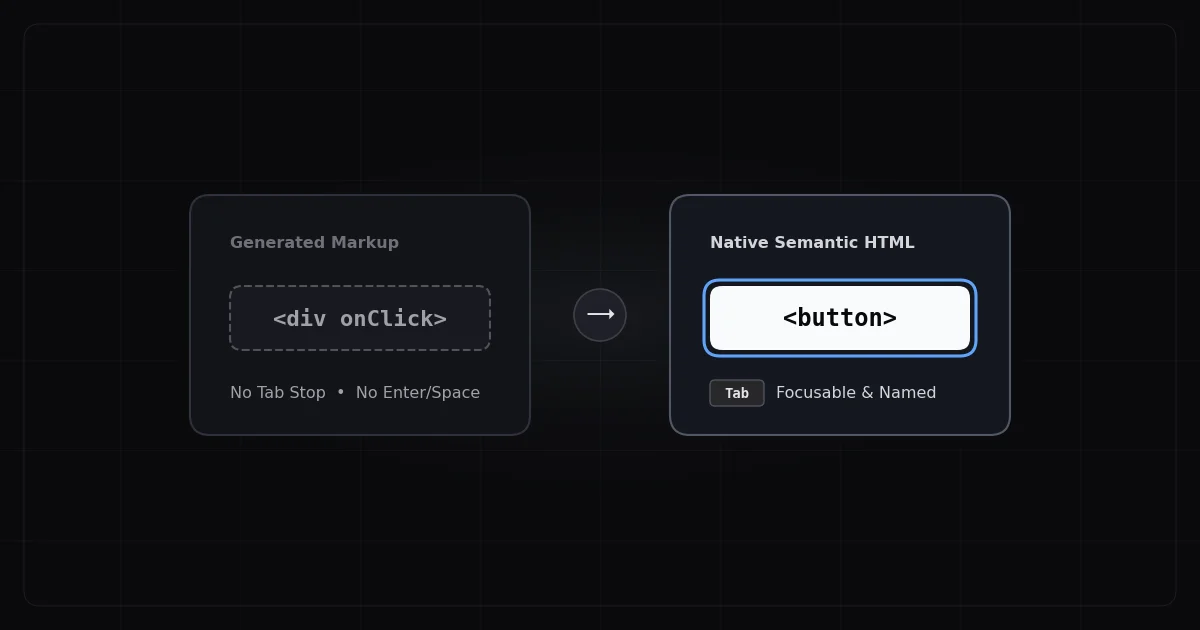
The most common failure: the first row and first column of the spec table are styled to look like headers — bold, different background color — but they use elements. Screen readers treat cells as data cells, not headers. The visual structure exists; the semantic structure does not.
Some developers add role="columnheader" or role="rowheader" to style cells. This satisfies ARIA requirements but is less robust than native elements and still requires all other attributes.
2. Present `` Elements with Missing scope Attribute
A step better than the above, but still failing. `` elements without scope are ambiguous in complex tables. When a spec grid has both row and column headers — product name across the top, specification category down the left — screen readers from different vendors interpret the associations differently. JAWS, NVDA, and VoiceOver may announce the same table completely differently without explicit scope values.
3. Layout Tables Using Table Markup
Some spec grids use `` for visual layout, not for relational data. A table used only for layout should have role="presentation" on the <table></table> element. Without this, screen readers announce "table with N rows and M columns" before announcing any content — creating noise and confusion for users who weren't expecting a data table.
The WCAG Requirements for Product Specification Tables
Element
What's Required
WCAG Criterion
`` element
<table><caption> or aria-label describing table purpose
1.3.1, 2.4.6
Column header cells
</caption><tbody><tr><th scope="col"> for each column header
1.3.1
Row header cells
</th><th scope="row"> for product attribute labels
1.3.1
Complex tables
headers attribute on data cells when scope is ambiguous
1.3.1
Layout-only tables
role="presentation" on `` element
1.3.1
Header content
<table><tbody><tr><th> must contain meaningful text (not empty or icon-only)
1.3.1, 2.4.6
Merged cells
colspan/rowspan with updated scope associations
1.3.1
The Correct Structural Pattern
Here's the illustrative pattern for a simple two-column spec table:
This is the structural requirement — scope="row" on specification label cells, </th><td> on value cells, </td></tr></tbody><caption> on the table. The visual styling is separate.
For comparison tables (multiple products as columns, specifications as rows), you need scope="col" on product name headers and scope="row" on specification name headers. When both axes have headers, screen readers will announce both before each cell value.
Platform-Specific Context
Product specification tables are often rendered by:
Theme templates (Shopify Liquid, WooCommerce PHP templates, BigCommerce STENCIL) — the table structure is in the theme's product detail template, which you or your developer can edit
Product page builders (PageFly, GemPages, Shogun) — the table markup comes from the builder's component, requiring either a support ticket to the vendor or an override via custom HTML block
Review and metafield apps that render specification data — these are plugin responsibility
Knowing which category your table falls into determines whether the fix is in your code or requires a vendor support ticket with specific WCAG criterion numbers.
What to Do When You Find Violations
The fix path depends on who controls the markup:
Your theme or template: Table header violations in your own templates are straightforward code changes — replace </caption><tbody><tr><td> cells with </td><th scope="row"> or </th><th scope="col"> as appropriate, and add </th></tr></tbody><caption>. Share the WCAG 1.3.1 criterion number with your developer.
Third-party page builder or app: Open a support ticket citing WCAG 1.3.1 (Info and Relationships) and describe which elements lack proper </caption><tbody><tr><th> and scope markup. Request that the component output be updated to use semantic header elements.
The critical first step is identifying which of your product pages have the violation and what the specific failure is. A site with 2,000 product pages won't have the same table structure throughout — some may use properly marked-up tables from a previous theme while others use layout tables from a page builder widget.
Why Automated Scanning Finds These Faster Than Manual Review
Manually checking table structure across hundreds of product pages means reading HTML source for every page variant. ADAGuard's automated scan covers your pages with JavaScript rendering — so even dynamically loaded spec tables (product attributes fetched via API on page load) are evaluated. With 22 custom checkers plus axe-core integration and ~78% WCAG 2.2 AA coverage (43 of 55 criteria), table-related failures under 1.3.1 are surfaced with the specific elements and selectors your developer needs.
The 30-Second Fix
Paste your product page URL into adaguard.io — free, no signup required. The scan report will identify table header violations with the specific WCAG criterion number and element location, so you know exactly what to fix or what to include in a vendor support request.</th></tr></tbody></table></th></tr></tbody></table>