In 2025, just 16 law firms were responsible for over 90% of all ADA website accessibility lawsuits filed in the first half of the year (UsableNet). That concentration is not a coincidence. It's the product of systematic, automated targeting — and the three WCAG violations those firms scan for first are the same ones appearing on the majority of U.S. e-commerce sites right now.
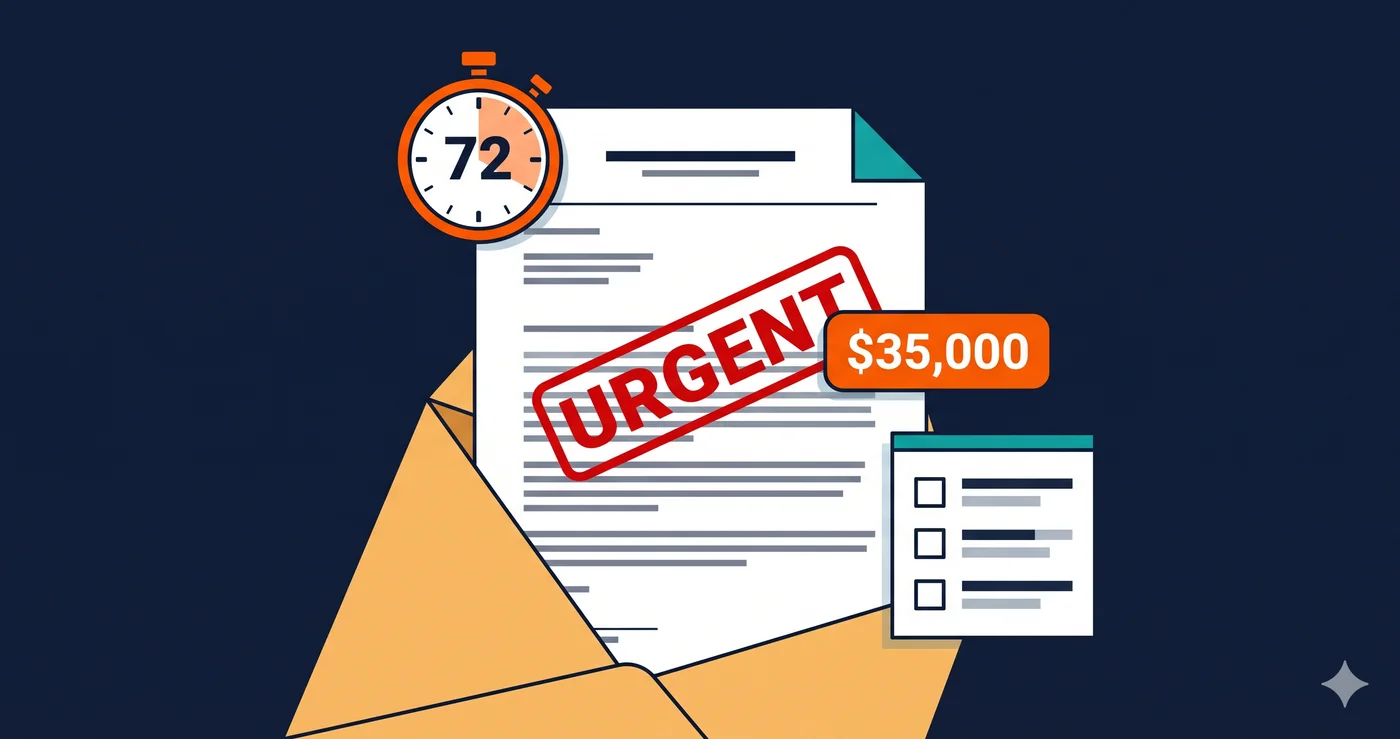
This is how ADA lawsuits actually start in 2026. Not with a disabled user manually struggling through your checkout flow and calling an attorney. More often, an automated scanner processes thousands of URLs in sequence, flags specific machine-detectable violations, and a paralegal reviews the output before the filing is drafted. The ada demand letter that arrives in your inbox is frequently the first time you learn your site was ever evaluated.
Why Automated Scanning Changed Everything
The sharp surge in ADA web accessibility lawsuits in 2025 (UsableNet mid-year report, confirmed by PRNewswire) wasn't driven by a sudden increase in disabled users filing individual complaints. It was driven by scale. AI tools have made it possible for pro se plaintiffs — people without attorneys — to identify violations, draft complaints, and file lawsuits using templates, and pro se ADA Title III filings have risen sharply as a result.
Plaintiff law firms operate at a different scale still. Their automated pipelines can scan thousands of websites in hours. But here's the critical detail: they don't scan for every possible WCAG violation. They scan for specific ones — violations that are machine-detectable with near 100% accuracy, directly tied to named WCAG success criteria, and create clear barriers that courts recognize as actionable.
Three violations dominate this targeting process.
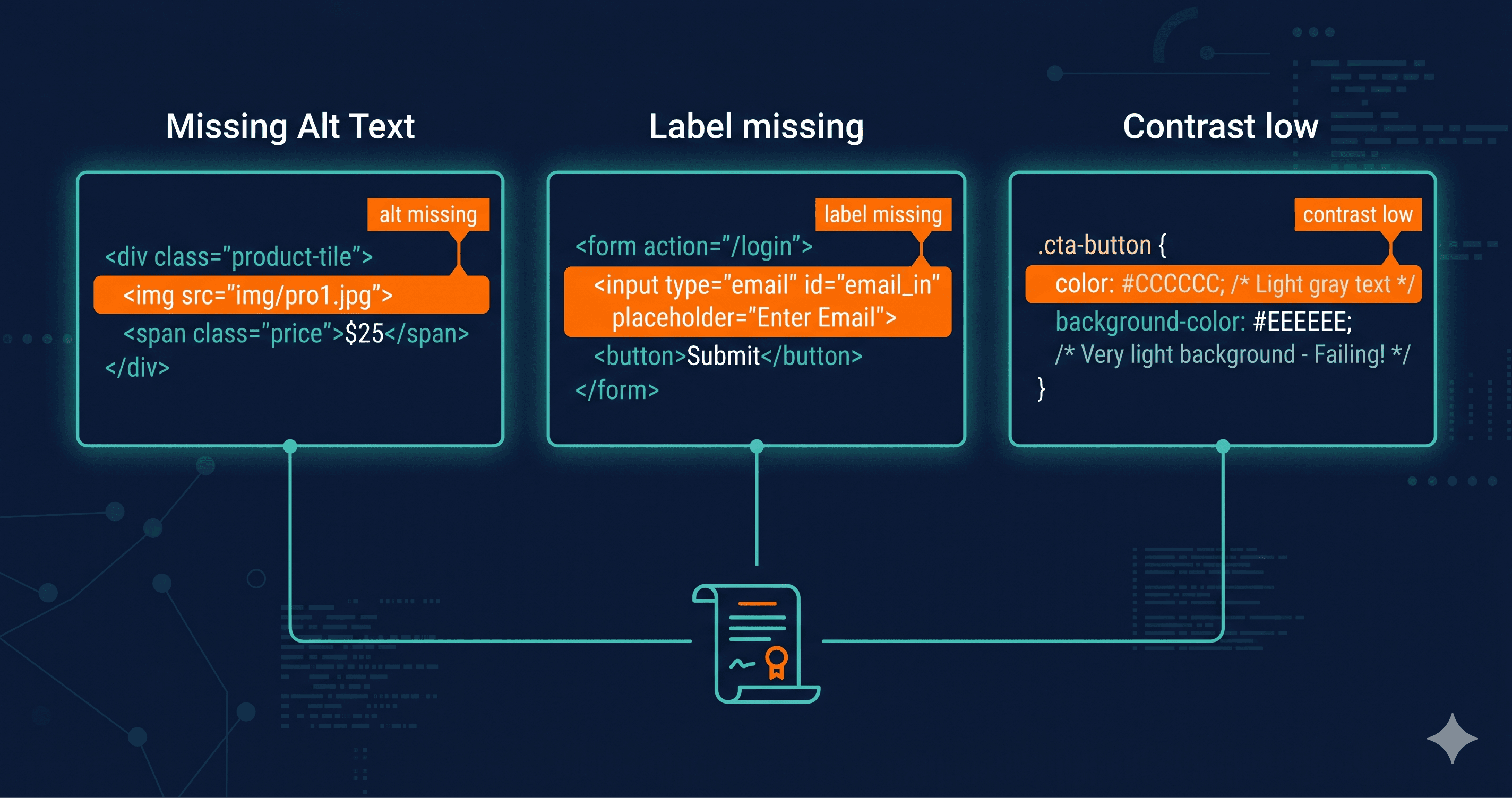
Error 1: Images Without Alternative Text (WCAG 1.1.1)
Missing alternative text on images is the single most litigable accessibility failure on the web. According to the WebAIM Million 2025 study, 55.5% of homepages have images missing alt text. For e-commerce sites with product galleries, promotional banners, and icon-based navigation, that figure is often higher.
Why law firms prioritize this: alt text is binary. Either the attribute exists with meaningful content, or it doesn't. An automated scanner returns a definitive yes/no result with the specific element identified. A screen reader user encountering an image without alt text hears nothing — or worse, hears the raw filename ("IMG_2847.jpg"), which provides no information about the image's content or function. When that image is a product photo, a promotional button, or a navigation icon, the barrier to commerce is direct and documentable.
Under WCAG 1.1.1 (Level A — the baseline of all accessibility standards), all non-decorative images must have text alternatives. This is not a gray area. Courts in ADA Title III cases have consistently held that missing alt text on images central to website navigation constitutes an accessibility barrier under the ADA.
48.2% of websites have missing or improperly associated form labels (WebAIM 2025). On e-commerce sites, the relevant forms are exactly where you'd expect: checkout flows, shipping address inputs, account creation, search bars, and email capture pop-ups.
A form field without a programmatic label is invisible to a screen reader user in the most literal sense. The user navigating by keyboard tabs to a text input and hears "edit text" — with no indication of what information goes there. Is this the email field? The first name? The zip code? A sighted user can read the adjacent visual label. A screen reader user cannot access that visual relationship unless it's explicitly programmed into the HTML.
This matters for ADA lawsuits because it creates a concrete barrier to completing a transaction. The core theory in most ADA e-commerce cases is that a blind or low-vision user cannot purchase from the site. An unlabeled checkout form field is direct evidence of that barrier — it appears in more ADA demand letters than any other single element after missing alt text.
WCAG 1.3.1 and 4.1.2 together require that form inputs have programmatically associated labels so that assistive technology can convey the field's purpose. Placeholder text does not substitute for a proper label — when a user begins typing, the placeholder disappears, and a screen reader loses the context entirely.
Empty links appear on 45.4% of websites; empty buttons on 29.6% (WebAIM 2025). These are anchor tags and button elements that carry no discernible text — no visible label, no aria-label attribute, no title — so a screen reader announces them as "link" or "button" with no indication of their function.
Common real-world examples: social media icons linked with SVG images but no text equivalent, "X" close buttons on modals and pop-ups with no accessible label, icon-only navigation buttons in mobile menus, and animated banners with linked images and no descriptive alt text.
For plaintiff attorneys, empty links and buttons are particularly useful because they often appear on high-visibility interactive elements. An unlabeled close button on a cookie banner or a modal means the user cannot dismiss it. An unlabeled cart icon means the user cannot determine where it leads. These are documented failure points in user journeys — exactly what ADA Title III litigation is built around.
Why These Three and Not Others
| WCAG Violation | % Sites Affected | Detection Accuracy | Lawsuit Frequency |
|---|
| Missing alt text (WCAG 1.1.1) | 55.5% | Near 100% — binary | Very High |
| Missing form labels (WCAG 1.3.1/4.1.2) | 48.2% | Near 100% — binary | Very High |
| Empty links/buttons (WCAG 4.1.2/2.4.6) | 45.4% / 29.6% | Near 100% — binary | High |
| Low contrast text (WCAG 1.4.3) | 79.1% | High — context-dependent | Medium |
| Missing document language (WCAG 3.1.1) | 15.8% | Near 100% — binary | Low-Medium |
| Missing heading structure (WCAG 1.3.1) | Variable | Medium | Low |
The common thread among the top three: they're binary. The violation either exists or it doesn't. There's no rendering context ambiguity, no browser variation, no "it depends on how you interpret it." A court doesn't need an expert witness to explain why a missing alt attribute on a product image prevents a screen reader user from knowing what the product is. The logic is self-evident.
Low contrast text, by contrast, can be disputed. Background gradients, dark mode rendering, and context-specific color stacks create legitimate ambiguity. It's a real violation — appearing on nearly 80% of websites — but it's less frequently the primary violation in a filing.
How AI Is Changing the Filing Volume
The same AI tools that let plaintiff attorneys run bulk scanning pipelines are now available to individual plaintiffs with no legal training. Pro se ADA filings have risen sharply as a result. These individuals use AI to identify violations from freely available scanning tools, draft complaint language from templates, and file in federal court without an attorney.
This means the 4,800+ ADA lawsuits in 2025 (UsableNet mid-year) are no longer driven only by the 16 organized plaintiff law firms — they now include a growing volume of individual filers who identified your specific site with the same automated methods. The targeting process has democratized.
What to Do When You Find These Violations
Before you can fix anything — or know how urgent the fix is — you need to know which of these three violations exist on your site right now, and where.
A surface-level scan that doesn't render JavaScript will miss violations that appear only after user interaction: the pop-up that opens when a user scrolls 50%, the cart drawer that reveals on add-to-cart, the modal that fires after email entry. These are exactly the elements where keyboard traps and unlabeled buttons most often live.
ADAGuard's live-DOM scanner renders your site the way a real browser does, capturing violations in JavaScript-rendered elements, dynamically loaded content, and post-interaction states. With 22 custom check categories plus axe-core for approximately 78% WCAG 2.2 AA coverage, ADAGuard gives you the same picture a plaintiff's scanner would — before a plaintiff's scanner gets there first.
Once you have the scan report, violations break into two categories. Platform-configurable issues — alt text in your CMS, form labels in theme settings, link text in your page builder — can often be addressed without developer work. Code-level issues — keyboard traps in custom modals, missing ARIA on interactive components — require a developer or vendor support ticket with the specific WCAG criterion numbers from your report.
The criterion numbers matter. Giving your developer "fix accessibility" produces no actionable output. Giving them "WCAG 1.3.1 failure on the checkout form shipping address input, element selector #checkout-address-line-1" produces a specific, fixable task.
The 30-Second Fix
You can know whether your site has the three violations plaintiff attorneys scan for first in under 60 seconds. Paste your URL into ADAGuard — no account, no signup required. The scan renders your live DOM and returns a full violation report. That's the same process plaintiff firms use, running in your favor instead of theirs.