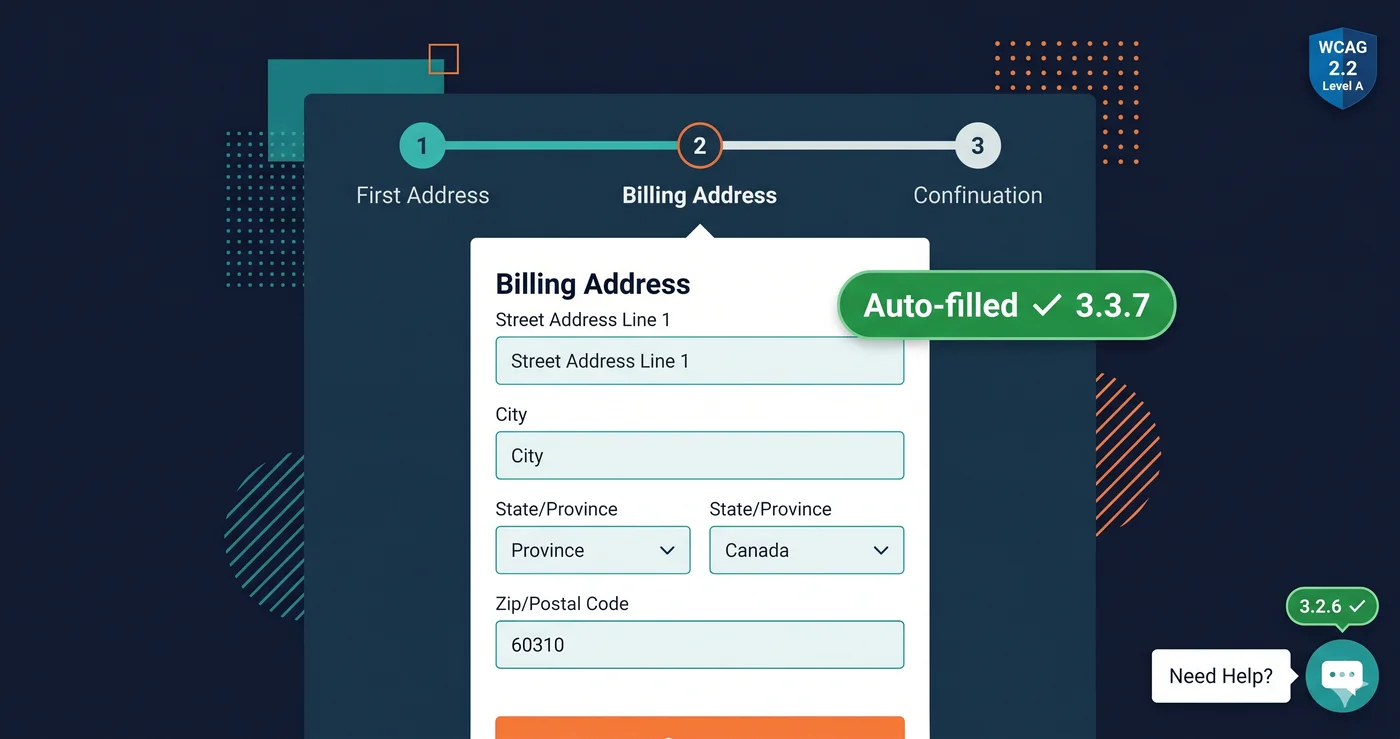
A customer reaches your checkout. They've entered their email, their name, their shipping address. Step 3 asks for their billing address — with no "same as shipping" checkbox and no pre-populated fields. They type everything again. For a user with a motor disability, repetitive strain injury, or cognitive impairment, this is not a minor annoyance — it's a documented WCAG 2.2 violation under Success Criterion 3.3.7. And it's Level A, meaning it's the most fundamental tier of accessibility compliance in your ada compliance checklist.
WCAG 2.2 introduced two new Level A criteria — the strictest required tier — that specifically target form usability and help mechanism consistency. Both are among the most straightforward violations to fix, and both are consistently absent from the ada compliance checklist that most ecommerce development teams work from. That's the gap this post closes.
These two are just the easiest wins — see our full WCAG 2.2 compliance checklist for everything else the standard added.
WCAG 3.3.7: Redundant Entry (Level A)
Success Criterion 3.3.7 states: information previously entered by or provided to the user that is required again in the same process must either be auto-populated or available for the user to select. Exceptions apply only when re-entry is essential for security or validation purposes (such as re-typing a new password to confirm it), or when the information is no longer valid.
This is a Level A criterion — the most basic level. Any ada compliance checklist that doesn't include 3.3.7 is incomplete. The criterion applies anywhere a user moves through a multi-step process on a single site:
Multi-step checkout flows — The billing/shipping address scenario is the canonical example. If a user has entered their shipping address in step 2, step 4's billing address field must either pre-populate with the shipping address or offer a "same as shipping" option. Requiring the user to retype it is a 3.3.7 violation.
Post-purchase account creation — Many ecommerce sites let users complete a purchase as a guest and then offer account creation afterward. If the account creation form asks for an email address the user already entered to complete the order, that's a 3.3.7 violation unless the field is pre-populated with the email they used.
Product configurators — A multi-step product configuration tool that asks users to re-select attributes they already chose (color, size, material) in a later review or cart-add step without pre-populating those selections fails 3.3.7.
Support ticket flows — If your help desk system asks users to provide an order number they entered earlier in the same flow to verify their account and then asks for it again to reference in the ticket body, that's a redundancy violation.
Add all of these scenarios to your ada compliance checklist. Each one is independently testable.
WCAG 3.2.6: Consistent Help (Level A)
Success Criterion 3.2.6 requires that if a web site provides access to a help mechanism — a contact phone number, email address, chat widget, self-service portal link, or automated chatbot — that mechanism must be located in the same place on every page within a set of web pages.
The criterion does not require you to provide help. It only requires that if you provide it, you do so consistently. The corollary is that if you currently have a chat widget or "Contact Us" link in inconsistent positions across your site — or if it disappears on certain page templates like checkout — you may already be failing 3.2.6.
An ada compliance checklist for 3.2.6 must verify: that the help mechanism is present on every page template, that it appears in the same DOM position or visual region across all templates, and that it's accessible to keyboard users in a predictable tab order.
The Complete WCAG 2.2 New-Criteria Compliance Checklist
Here is your ada compliance checklist for all nine new WCAG 2.2 success criteria, with a focus on the two Level A additions:
| WCAG Criterion | Level | Requirement Summary | Typical Failure | Fix Effort |
|---|---|---|---|---|
| 3.3.7 Redundant Entry | A | Pre-populate or allow re-selection of previously entered info | Billing address retype, account email re-entry | Low–Medium |
| 3.2.6 Consistent Help | A | Help mechanism in same location on all pages | Chat widget missing on checkout, help link moves | Low |
| 3.3.8 Accessible Authentication (Minimum) | AA | No cognitive function test for login without alternative | Text CAPTCHA, blocked password managers | Medium |
| 2.4.11 Focus Not Obscured (Minimum) | AA | Focused element not entirely hidden by author content | Sticky header covers focused nav item | Medium |
| 2.4.13 Focus Appearance | AA | Focus indicator meets minimum size and contrast | outline: none CSS reset; low-contrast focus ring |
Low |
| 2.5.7 Dragging Movements | AA | Dragging functionality available without dragging | Price slider no text input alternative | Medium |
| 2.5.8 Target Size (Minimum) | AA | Interactive targets at least 24×24 CSS pixels | Small close icons, compressed pagination | Low |
| 3.3.9 Accessible Authentication (Enhanced) | AAA | No cognitive function test at all — no exceptions | Object recognition CAPTCHA | High |
| 2.4.12 Focus Not Obscured (Enhanced) | AAA | No part of focused element hidden | Same as 2.4.11 but stricter | Medium |
The two Level A criteria — 3.3.7 and 3.2.6 — should be the first items addressed on any ada compliance checklist because they require no exception testing, no edge case analysis, and no nuanced contrast ratio measurement. They're structural: either information is pre-populated or it isn't, either your help mechanism is consistent or it isn't.
Why These Are "Easy Wins" — And Why They're Still Missed
The Level A criteria in WCAG represent the baseline expectations — accessibility requirements so fundamental that the W3C considers them essential even for partial compliance. Yet redundant entry failures and inconsistent help mechanisms are among the most commonly observed issues in professional accessibility audits, for a straightforward reason: developers don't usually build checkout flows and help systems with a wcag compliance checker running.
Checkout flow development typically focuses on conversion rate: minimize friction, reduce form fields, streamline the path to purchase. Pre-populating billing from shipping is a conversion win on its own — but it's often deprioritized in favor of A/B testing other elements. WCAG 3.3.7 makes it a compliance requirement.
Help mechanism placement is often controlled by marketing or CX teams who configure chat widget visibility rules. Hiding the chat widget on checkout pages — to reduce distractions — is a common CX pattern. Under 3.2.6, if the chat widget is part of your "set of web pages," removing it from checkout is a failure.
A website accessibility checker like ADAGuard can surface these discrepancies automatically: it scans multiple pages, compares the DOM structure of repeating elements (like chat widgets and help links), and flags inconsistencies in position or presence.
How ADAGuard Checks for 3.3.7 and 3.2.6
ADAGuard includes form analysis across its 23 automated check categories — including detection of form fields where previously-entered data is required again without auto-population. The website accessibility checker also compares the presence and position of common help UI patterns across scanned pages and flags structural inconsistencies.
Coverage: ADAGuard achieves ~78% WCAG 2.2 AA automated coverage (43 of 55 criteria). For the Level A criteria 3.3.7 and 3.2.6 specifically, the scanner evaluates form field autocomplete attributes and cross-page help mechanism consistency, providing the evidence you need to include these in a remediation sprint.
For authenticated flows (like post-checkout account creation, or a multi-step order form requiring a login), ADAGuard's authenticated scanning feature evaluates the state of the page after the user session is established — catching redundant entry violations in logged-in states that a standard ada compliance checker scan would miss.
What to Do When Your ADA Compliance Checklist Finds Violations
When your ADAGuard scan flags 3.3.7 or 3.2.6 violations, the path to remediation is clear:
3.3.7 Redundant Entry fixes fall into two buckets:
In your control: If the checkout, account creation, or multi-step form is built in-house, pre-population is a developer task. Pass the shipping address object to the billing step via state management, or implement a "same as shipping" toggle that copies the data. Add autocomplete attribute propagation between steps. These changes are well within a single sprint.
Vendor ticket territory: If your checkout is controlled by Shopify, WooCommerce, Magento, or a third-party checkout app, file a support ticket with WCAG 3.3.7 by name and criterion number. Ask specifically whether the platform supports pre-population of the billing address from the shipping step. Many platforms already have this as a configurable option — it may just need to be enabled.
3.2.6 Consistent Help fixes:
In your control: If your chat widget or help link is conditionally hidden on certain templates via CSS or JavaScript configuration, update the visibility rules so the help mechanism appears consistently. Check the widget's JavaScript configuration for page-based rules that suppress it on specific URLs.
Vendor ticket territory: If the chat widget is managed through Intercom, Gorgias, Zendesk, or Klaviyo's in-app messaging, those platforms have visibility configuration options. Contact support with WCAG 3.2.6 and request guidance on implementing consistent placement across all page types including checkout.
Don't guess which violations apply to your specific site. Run the scan. Your ada compliance checklist becomes actionable only when it's tied to what your specific implementation actually does.
The 30-Second Fix
The two "easy win" WCAG 2.2 Level A criteria are also the ones most likely to already be failing on your site right now — because they involve multi-step flows and cross-page consistency that standard qa testing doesn't check.
Paste your URL into adaguard.io and run a free ada compliance checker scan. ADAGuard evaluates your form fields, your help mechanism consistency, and 50+ other criteria across 23 automated check categories — and shows you a prioritized report with every WCAG criterion number and affected element. No signup required.
Your ada compliance checklist isn't complete without 3.3.7 and 3.2.6. Now you know what they require and how to verify you're meeting them.