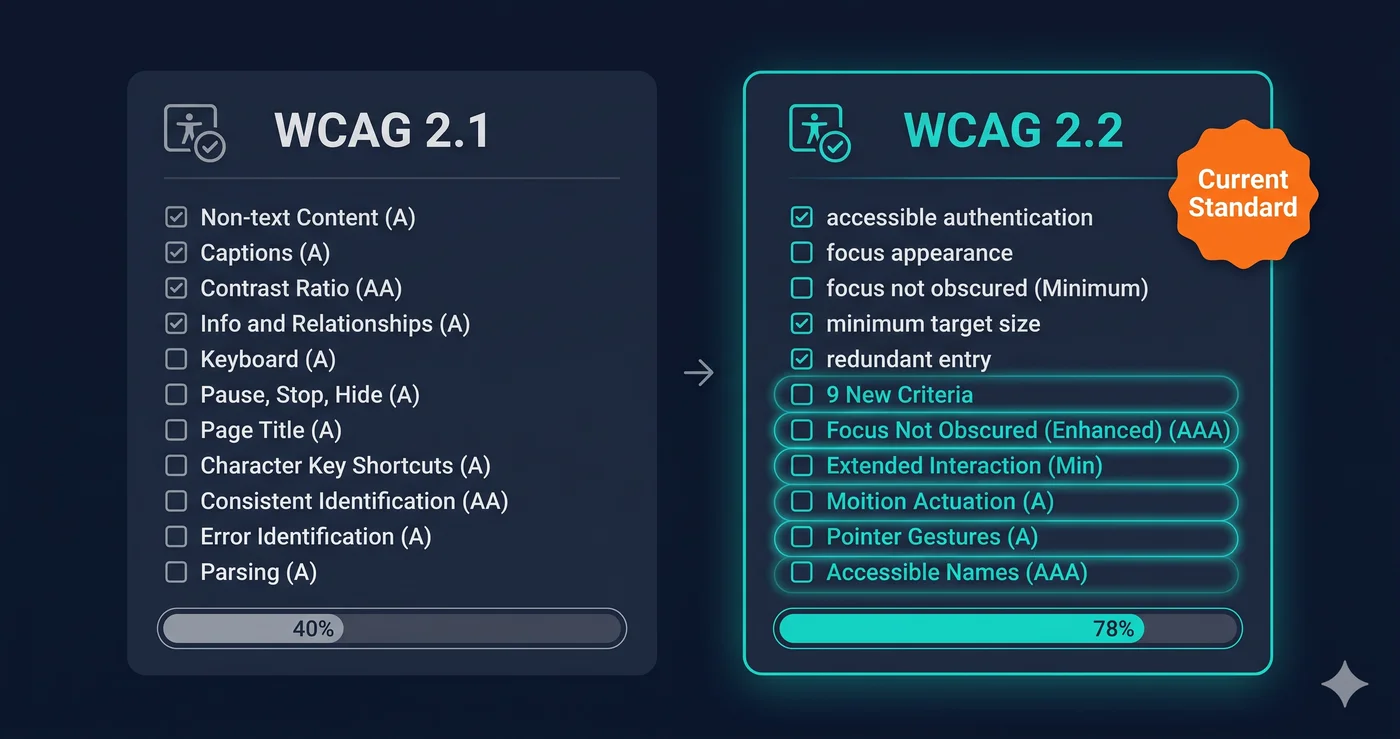
The original ADA Title II compliance deadline of April 24, 2026 — requiring all US state and local government websites to conform to WCAG 2.1 Level AA — was extended by an April 2026 DOJ interim final rule to April 26, 2027 (and April 26, 2028 for smaller entities). Private sector enforcement under Title III, which isn't covered by that government-focused rule, has followed the same WCAG standard for years through case law. Yet the tool most teams reach for — a free browser extension or a Lighthouse audit — tests fewer than half of the WCAG criteria it's supposed to catch.
That gap matters because a WCAG compliance checker that only covers 40% of the standard leaves 60% of your legal exposure undetected. And with 4,800+ ADA web accessibility lawsuits filed in 2025 (UsableNet) — a significant year-over-year increase — what a tool misses is exactly what plaintiff attorneys find.
This guide explains what a WCAG compliance checker actually tests, where the major tools differ, and how to pick a scanner that matches the version of WCAG your compliance obligations require.
Want the criteria themselves, not just checker comparisons? Our WCAG 2.2 compliance page breaks down every requirement your scanner should be testing for.
WCAG 2.1 vs WCAG 2.2: What Changed and What It Means for Your Site
WCAG 2.2 was finalized in October 2023 and added nine new success criteria to WCAG 2.1. Courts and plaintiff attorneys increasingly cite these updated requirements in ADA litigation and demand letters, and the EU's EN 301 549 (the EAA's technical standard) is being updated to incorporate them. If your wcag compliance checker only tests 2.1, you're missing at least nine failure types that are becoming legally relevant.
The nine new criteria in WCAG 2.2:
| Criterion | What It Requires | Level |
|---|---|---|
| 2.4.11 Focus Appearance (Minimum) | Keyboard focus indicator must have sufficient size and contrast | AA |
| 2.4.12 Focus Appearance (Enhanced) | Stricter focus indicator requirements | AAA |
| 2.4.13 Focus Appearance | Minimum focus indicator contrast 3:1 | AAA |
| 2.5.3 Label in Name | Accessible name must contain visible label text | A |
| 2.5.7 Dragging Movements | All drag operations have a pointer alternative | AA |
| 2.5.8 Target Size (Minimum) | Interactive targets at least 24×24 CSS pixels | AA |
| 3.2.6 Consistent Help | Help mechanisms in consistent location | A |
| 3.3.7 Redundant Entry | Don't re-ask for info already provided in session | A |
| 3.3.8 Accessible Authentication (Minimum) | No cognitive tests for login | AA |
If your wcag compliance checker was built before 2024, it almost certainly doesn't test criteria 2.4.11, 2.5.7, 2.5.8, or 3.3.8 — four of the most impactful new requirements for modern web applications.
What "WCAG Coverage" Actually Means
Every major WCAG compliance checker advertises WCAG support, but what they test varies dramatically. The number that matters is automated coverage — the percentage of WCAG success criteria that the tool can verify programmatically, without human review.
Why does this vary? Because many WCAG criteria cannot be tested by code. Whether an image alt text accurately describes the image is a human judgment. Whether a form label meaningfully identifies the input is subjective. Whether the reading order of a page makes logical sense requires understanding intent. These require manual testing.
But a large subset of WCAG failures are machine-detectable — missing alt attributes entirely, contrast ratios below threshold, form inputs without any label, heading hierarchy violations, missing lang attributes, keyboard traps. A good website accessibility checker automates as much of this as possible.
Here's how the major tools compare on automated coverage:
| Tool | Approx. WCAG 2.2 AA Automated Coverage | WCAG Version Tested | Cost |
|---|---|---|---|
| ADAGuard | ~78% | 2.2 AA + AAA bonus checks | Free plan available |
| axe-core (standalone) | Partial — rule-based | 2.1 AA | Open source |
| axe DevTools Pro | Partial — rule-based | 2.1 AA | $45/user/month |
| Google Lighthouse | Partial — rule subset | 2.1 AA | Free |
| WAVE | Partial — structural | 2.1 AA | Free / $4/mo |
| Siteimprove | Broad (enterprise suite) | 2.1 AA | ~$28,000/yr |
ADAGuard's figure is a criterion-by-criterion code audit (full methodology at adaguard.io/wcag-coverage). Other figures are approximate, based on each vendor's own published rule inventory — not independently verified. All tools require some manual testing to reach full compliance verification.
Why ADAGuard's Coverage Rate Is Higher
Most wcag compliance checkers — including the market leaders — are built on axe-core, Deque's open-source accessibility engine. axe-core is excellent but covers only a subset of WCAG criteria automatically. WAVE and Lighthouse use their own engines with their own coverage sets.
ADAGuard runs 22 custom accessibility checker modules on top of axe-core integration, which together reach ~78% WCAG 2.2 AA automated coverage. The custom checkers cover categories that axe-core doesn't reach by default:
- Color contrast in all element states — not just static text, but placeholders, disabled inputs, error messages, and hover states
- Focus indicator contrast (WCAG 2.4.11) — tests keyboard focus rings against adjacent colors
- Target size failures (WCAG 2.5.8) — flags interactive elements under 24×24 CSS pixels
- Heading hierarchy logic — catches skipped heading levels and missing H1 structure
- ARIA misuse — detects conflicting roles, orphaned aria-labelledby references, and aria-hidden abuse
- Link quality — flags ambiguous link text ("click here", "read more") that fails WCAG 2.4.4
- Multimedia accessibility — detects video without captions, audio without transcripts
- AAA bonus checks — 2.5.5, 2.3.3, and 2.4.13 are tested on every plan, including free
What No WCAG Compliance Checker Can Automate
Every wcag compliance checker has the same hard ceiling: human judgment. Even ADAGuard at 78% coverage requires you to manually verify the remaining 22% of criteria. The most important manual checks:
Image alt text quality — A tool can tell you if alt="" exists. It cannot tell you if "image_final_v3_USE_THIS.jpg" accurately describes your hero banner. Manual review of meaningful alt text is required.
Keyboard navigation flow — Automated tools can detect missing focus styles. They cannot evaluate whether the tab order through your page makes logical sense for a keyboard-only user. This requires manual testing with keyboard navigation.
Screen reader compatibility — No automated scanner fully replicates the experience of a VoiceOver or NVDA user moving through a dynamic single-page application. Test with at least one real screen reader.
Cognitive accessibility (WCAG 3.3.7, 3.3.8) — Whether your login flow imposes unnecessary cognitive burden requires human evaluation.
The practical approach: run a full website accessibility checker scan first to clear automated failures (the 78% you can find without human effort), then focus manual testing on the remaining criteria.
How to Use a WCAG Compliance Checker Effectively
Running a scan and downloading a report is step one, not the finish line. Here's how to use WCAG compliance checker results effectively:
1. Prioritize by severity. Critical failures (WCAG Level A violations) are the highest legal risk. Warning-level and informational findings follow. Fix the Level A failures first — they're the ones most likely to appear in demand letters.
2. Get the criterion number, not just the description. Every WCAG failure has a criterion number (e.g., 1.4.3 for contrast, 4.1.2 for name/role/value). Pass the criterion number to your developer or vendor support team. Vague descriptions ("low contrast") don't give developers what they need to fix efficiently.
3. Separate what your team owns from what vendors own. Third-party widgets, checkout components, and CMS themes are often outside your direct control. A scan report helps you identify which failures are in your code vs. vendor code — so you can escalate vendor tickets with the right WCAG references.
4. Re-scan after fixes. Changes sometimes fix one issue and create another. Running the ada compliance checker again after remediation confirms you've actually resolved the violations.
5. Document your process. Courts increasingly look for evidence that organizations made good-faith efforts toward accessibility. Scan reports, dated remediation records, and vendor tickets are that evidence.
How Often Should You Run a WCAG Compliance Checker?
After every significant code deployment. Accessibility violations are introduced the same way other regressions are introduced — through code changes that nobody tested for accessibility impact. A quarterly scan is better than nothing; a post-deploy scan is better still.
Sites with active e-commerce catalogs, dynamic pricing, and third-party integrations should scan more frequently because those are the surfaces most likely to introduce new failures.
The 30-Second Fix
The fastest way to find your WCAG exposure is a scan. Paste any URL at adaguard.io — no account required. The WCAG compliance checker runs in under 30 seconds, returns results categorized by WCAG criterion, severity, and element, and gives you a compliance score. You'll know exactly which WCAG 2.2 AA criteria your site fails and where. Take that report to your development team or use it as the basis for a vendor accessibility ticket.
If you're responsible for a site's compliance posture in 2026, a scan is the first 30 seconds of your answer to "are we covered?"