Accessibility Checks in Pull Requests: A Workflow That Doesn't Slow Deploys
Accessibility is cheapest to fix in the pull request that introduced the problem. A four-layer workflow — native HTML, a linter in the editor, component tests, and a scan of each pull request's preview deployment — plus the manual checks that still need a person.
Accessibility work often happens after launch: an audit arrives months later with a long list of failures across components that several people have since changed. Each fix now means rediscovering how that code works.
The cheaper moment is the pull request that introduced the problem, while the author still has the context. Here's a workflow that puts the checks there without slowing deploys down.
1. Start from native HTML
Most keyboard and screen reader failures come from rebuilding what the browser already provides. A handles focus, Enter and Space, and announces itself as a button; a `<div>` does none of that. The same goes for `<a href="">`,, and .
When you need a widget HTML doesn't have — a combobox, a tab list — use a headless library that already handles the keyboard interaction and ARIA states, rather than writing it from scratch.
2. Lint while you type
eslint-plugin-jsx-a11y (or your framework's equivalent) catches problems visible in the source: images without alt, click handlers on non-interactive elements, inputs without labels. It runs in the editor and in CI and costs nothing at review time.
What it can't see is anything that depends on the rendered page: computed contrast, focus order, what a screen reader actually gets.
3. Test components in isolation
Component tests can run an accessibility rule engine against each rendered component state — for example jest-axe or a Storybook accessibility add-on. Cover the states that matter: open and closed menus, error states, empty states. These catch regressions in the component itself before it reaches a page.
4. Scan each pull request's preview
The page is where components, global CSS and third-party scripts meet, so test the deployed page too. The ADAGuard GitHub App does this on every pull request:
When the pull request's preview deployment is ready (for example on Vercel or Netlify), it scans the preview URL.
It posts the score and the issues it found as a comment on the pull request, and adds a GitHub Check Run with a pass or fail.
A .adaguard.yml file in the repo can set the URL to scan, a score threshold (paid plans) and rules to ignore. Blocking the merge when critical issues are found is available on the Business plan and above.
The pull request check scans the public preview. Pages behind a login — account settings, checkout steps — are better covered by a scheduled scan with a saved login, or a manual pass before release.
5. Keep the manual checks
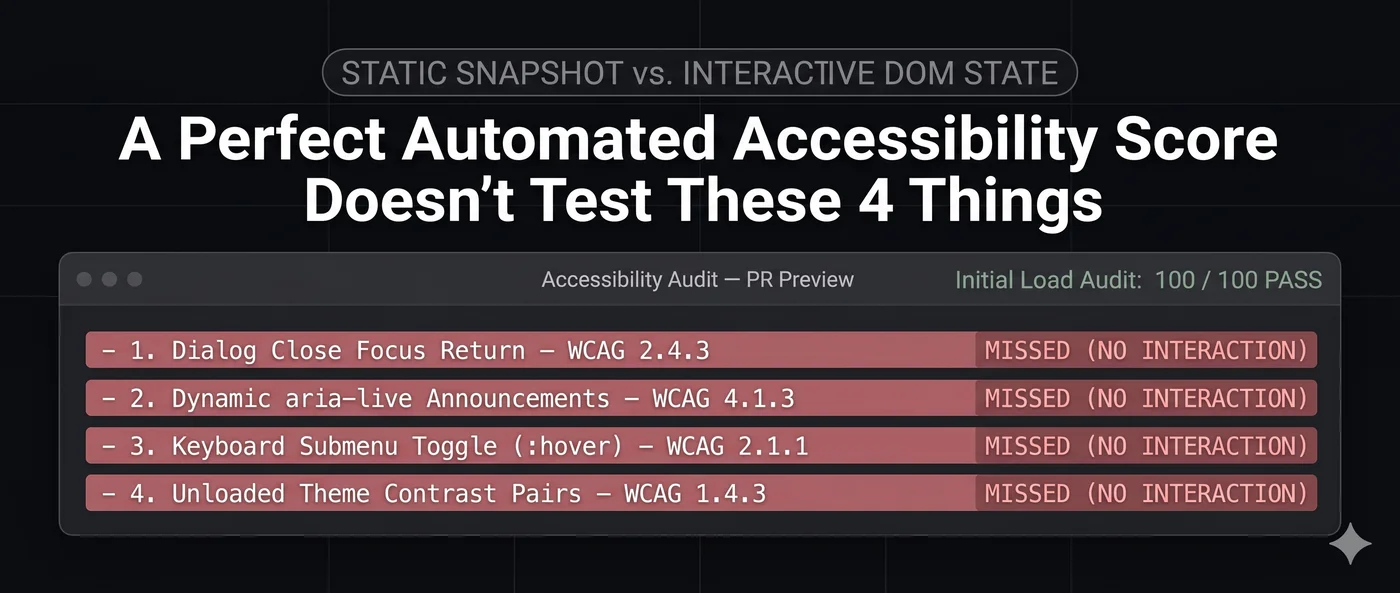
Automated checks cover only part of WCAG. ADAGuard has automated checks for 40 of the 55 WCAG 2.2 Level A and AA criteria, fully or partly (the full list); the rest needs a person. Before a release that changes a key flow:
A keyboard pass through the flow: Tab order makes sense, focus is always visible, every control works.
A screen reader pass with VoiceOver, NVDA or Narrator: names, headings and announcements make sense when heard.
Putting it together
Layer
Runs
Catches
Native HTML
While writing
Most keyboard and naming problems, before they exist
Linter
Editor and CI
Problems visible in the source
Component tests
CI
Regressions in each component's states
Preview scan
Each pull request
Problems on the rendered page, including global CSS and third-party scripts
Manual pass
Before key releases
What automated checks can't judge
Each layer is fast on its own, and together they move most accessibility fixes into the pull request where they're cheapest to make.
</a></div>